
 Hrvatski
Part 1
First line
One short line that says what happened. People decide here if they read on.
Six text templates you can copy today, and the design rules that make every post look like your company.
A LinkedIn post template is a ready structure for a post: the first line, the middle and the ending, plus a design layout in your brand. You fill in the facts and post.
Below are six text templates B2B teams use most: hiring, new client, product launch, event, certification and a short lesson. Pair them with one locked design template so every post looks like your company.
 By Vedran Obradović · Updated 5 November 2026
Every template below follows the same three parts.
Part 1
One short line that says what happened. People decide here if they read on.
Part 2
Two to four short lines. One fact, one reason, one person.
Part 3
One clear next step or one question. Not both.
Use your own voice rules. If you do not have them yet, start with brand voice guidelines.
We are hiring a [role] in [city / remote].

You will [one real task they do in week one].
You will work with [team or person] on [product].

You fit if you [one must-have], and you like [one thing about the work].

Apply here: [link]. Know someone? Tag them.
[Client] now runs [what] on [your product].

They needed [their problem, in their words].
We [what you did, in one line].

Thank you, [client contact name], for the trust.
[Only post with the client's written OK.]
Never post a client name or a number without written OK. Keep a list of approved facts, the same way I keep my own facts page.
Free tool
Every good post comes back to what you do. Paste that line. See how clear it is and what to fix. It is free.
New in [product]: [feature name].

Before: [what was slow or hard].
Now: [what it does, in one line].

[Short video or one screenshot]
Try it: [link]
[Name] speaks at [event], [date], [city].

Talk: "[talk title]"
In one line: [what people will learn].

Say hi at [stand / room]. Can't come? The slides go up here after: [link]
We are now [certification / award].

What it means for you: [one plain benefit for clients].
Thanks to [team or person] who made it happen.
[One sentence lesson, as a fact.]

We learned it when [short real story, 2 lines].

What we do now: [one change].
How do you handle this?
Leave your email. I design them by hand and send them to you within 48 hours. It costs you nothing.
I write to you from [email protected]. If you do not see it, check spam.
Text gets people to stop. The design tells them it is you.
Hiring, news, event, quote. Same grid, same logo place, every time.
Logo, colours and fonts fixed. Only words and photo change. See brand templates for teams.
Up to 8 words on the picture. The rest goes in the post text.
Your team and your work beat stock. See brand photography guidelines.
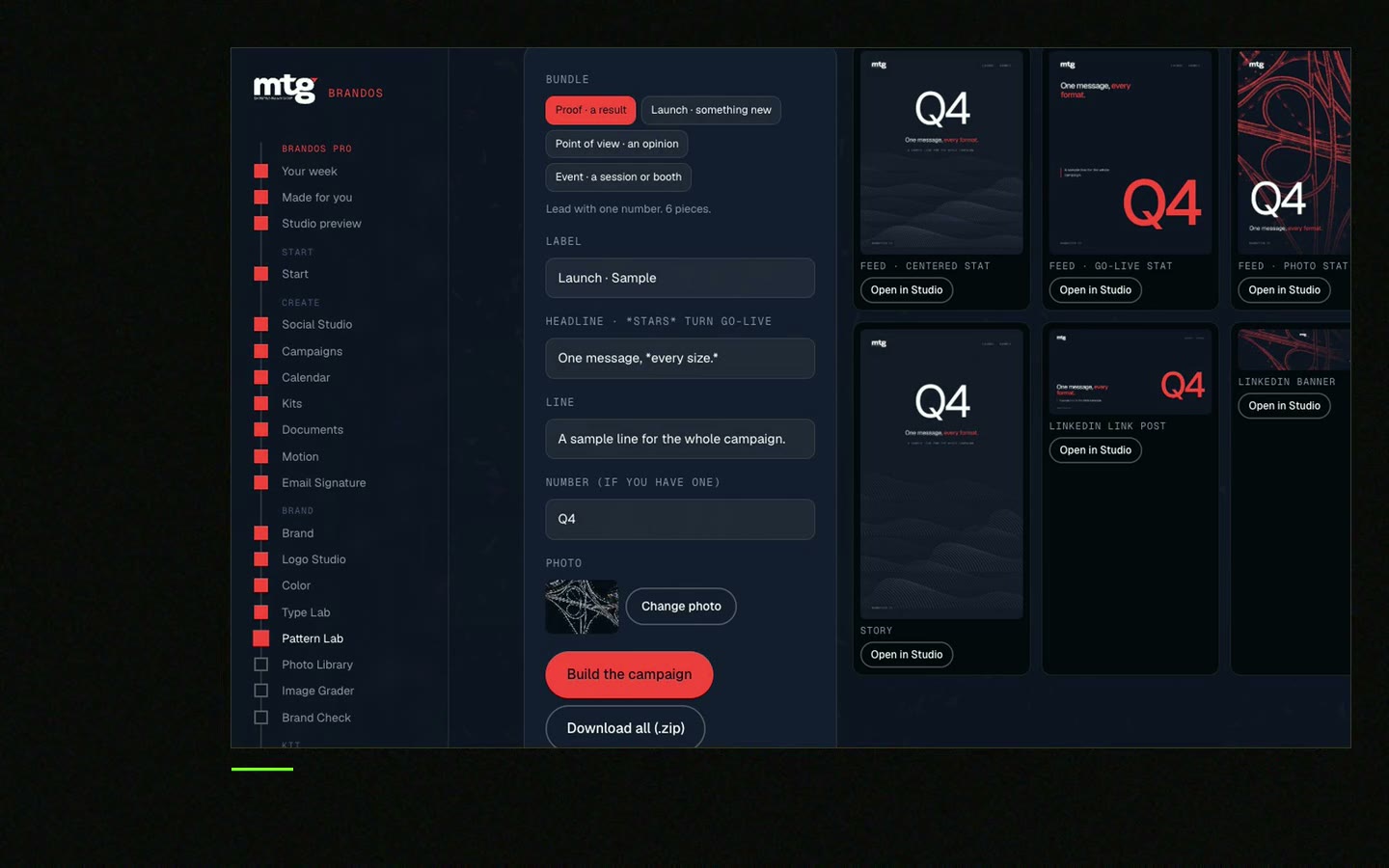
Posts from people often reach more than posts from the company page. Give people the tools.
With a Brand OS Core Portal, the CEO of Deepsea Networks writes and designs an on-brand LinkedIn post in about 3 minutes. More in the Deepsea Networks project.
Tick before each post. Your ticks stay on this device.
0 of 8 done
Want the whole team to make posts like this without a designer? That is what Brand OS Portal is for. The page itself is covered in LinkedIn company page branding.
Try one Brand OS Portal tool
This is a real tool from a real Brand OS Portal, on the MTG brand. Type a line. The brand does the rest.
A strong first line that says what happened, two to four short lines in the middle, and one clear ending.
The role and place, one real task, who they work with, one must-have and a link to apply.
Yes, if you give the AI your voice rules and approved facts, and a person reads the post before it goes out.
One link with text and design templates, locked logo, colours and fonts, approved facts, and a banner for each person.
Short wins for most B2B posts. Say one thing well. Keep the words on the image to about 8.
See what ChatGPT says about your company, and how to fix it.
You hear from me within 2 to 8 hours.
May I use cookies for Google Analytics and Clarity to see which pages help? Privacy





