
 Hrvatski
Cause 1
Many makers
Marketing, sales, an agency and a freelancer all make assets. Each has a different file.
Visuals drift when many people make them. Lock the brand into the tools and add one quick check, and they stay together.
Free: your brand in 3 real designs, in 48 hours.
To keep campaign visuals consistent, use one hero visual, lock the logo, colours and fonts in templates, name one owner, and run a two-minute check before anything is published.
Rules in a PDF are not enough. People follow the path that is easy, so build the brand into the tools they use.
 By Vedran Obradović · Updated 7 November 2026
It is rarely carelessness. It is usually the setup.
Cause 1
Marketing, sales, an agency and a freelancer all make assets. Each has a different file.
Cause 2
An old logo or an old template is easier to find than the new one.
Cause 3
Guidelines nobody opens do not stop a wrong font. See PDF guidelines vs Brand OS Portal.
Cause 4
A deadline wins over a rule every time.
Do the top three today. They fix most of the drift.
Way 1
Make a master image. All other sizes come from it.
Way 2
Logo, colours, fonts and grid cannot be changed. Words and photo can.
Way 3
One link. Delete old copies. See how to share logo files.
Way 4
One person approves exceptions.
Way 5
Logo, colours, fonts, voice, photo. Same list every time.
Way 6
Approved photos. The same style across the campaign.
Way 7
Put one finished, approved set where everyone can see it.
Photos are the sneakiest drift. See the brand photography guidelines.
Free tool
Answer a few short questions. You get your brand score and the top thing to fix. It is free and runs right here.
Paste it where your team approves work.
ASSET: [name]   CHECKED BY: [name]   DATE: [date]

[ ] Logo: right version, right place, enough space
[ ] Colours: brand colours
[ ] Fonts: brand fonts, sizes as in the template
[ ] Words: short, plain, in our voice, no claim we cannot prove
[ ] Photo: from the approved set, same style as the rest
[ ] Headline matches the campaign headline
[ ] Link works and has its tracking tag
[ ] Looks right on a phone

Result: OK / FIX (what): [note]
For logo rules, read logo usage guidelines. For the full audit, use the brand audit checklist.
Leave your email. I design them by hand and send them to you within 48 hours. It costs you nothing.
I write to you from [email protected]. If you do not see it, check spam.
The easiest rule to follow is the one you cannot break.
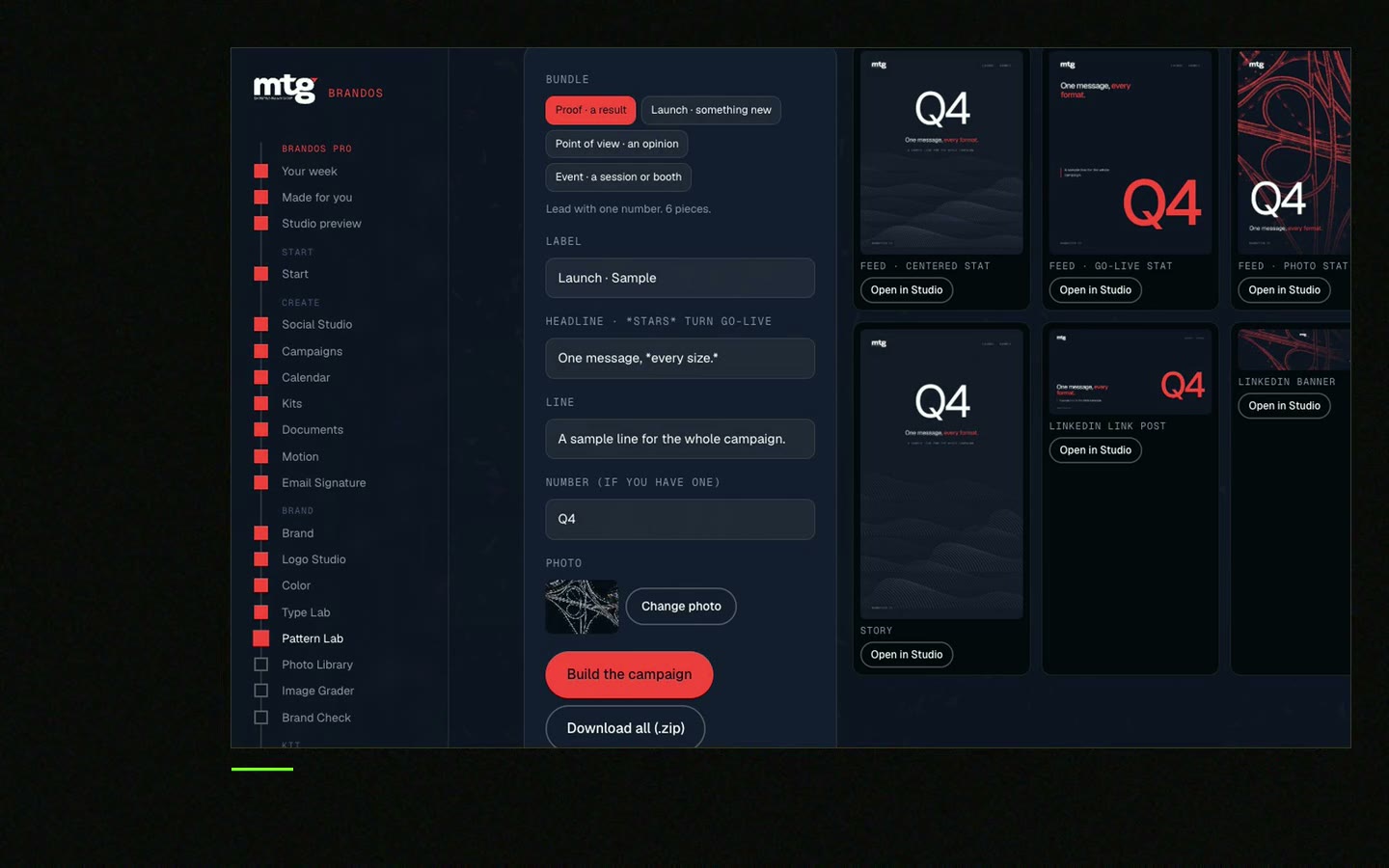
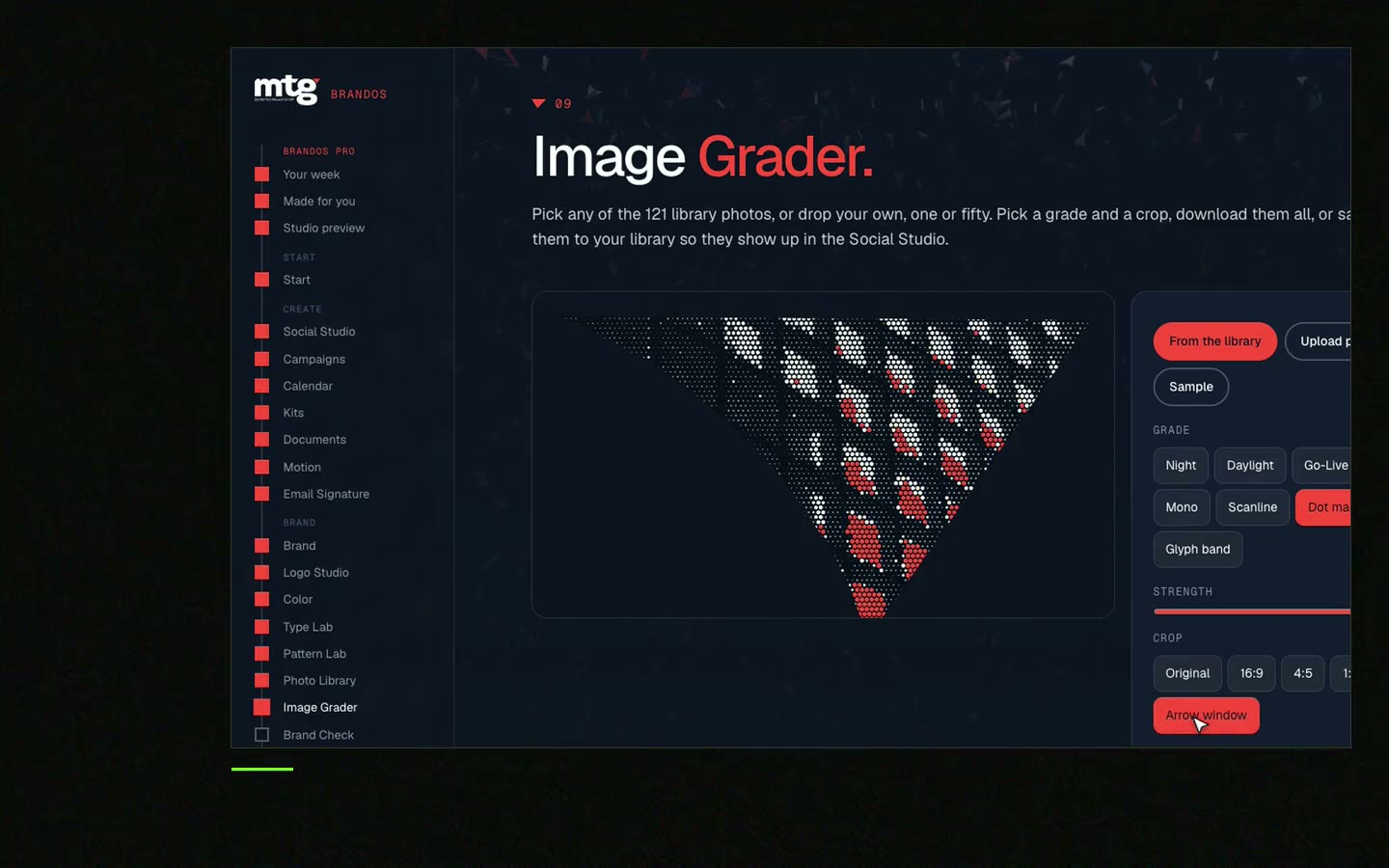
In Brand OS Portal, your team picks a design I made for your brand, changes the words and photo, and downloads the result. A logo that breaks the rules fixes itself in Logo Studio. Image Grader grades photos against your brand. Voice Check checks words against your voice.
The result is that anyone on the team can make a post, a banner or a signature that looks right. You stop paying a designer for every one. A designer is still right for strategy and a new identity.
Tick what is true today.
0 of 8 done
Next: plan campaign visuals across channels and brand onboarding for new hires.
Try one Brand OS Portal tool
This is a real tool from a real Brand OS Portal, on the MTG brand. Change the words and the photo. The design cannot drift.
Watch
I made short videos of the tools. Hear me explain them, then scroll through every one at work. Real tools, on a real brand.

Different people use different files, fonts and sizes. Use one hero visual and locked templates to fix it.
Lock the logo, colours and fonts in the template, let them change words and photos, and run a quick check before publishing.
Give everyone one link to the latest files and tools. See brand consistency for remote teams.
They help, but just when people use them. Put the rules inside the tools so people do not need to look them up.
One named person. Many approvers slow the campaign and still do not guarantee a good result.
Death List Five. Five headaches, one portal. Sound on.
See what ChatGPT says about your company, and how to fix it.
You hear from me within 2 to 8 hours.
May I use cookies for Google Analytics and Clarity to see which pages help? Privacy





