
 Hrvatski
Learn
How the brand looks
Logo, colours, type and photos. With right and wrong examples.
Give every new hire one link, one hour and three small tasks. They know the brand by lunch.
Brand onboarding means teaching a new hire how your brand looks, sounds and what it may promise. Do it on day one, not after the first mistake.
Keep it short: one link to the brand, a 30-minute walk-through, three small tasks they do themselves, and a buddy who checks the first post or slide.
 By Vedran Obradović · Updated 4 November 2026
New people want to do good work. They just do not know your rules yet.
Without onboarding, a new hire copies the last deck they found. Often that deck is old. The old logo, the old colours and the old claims travel on.
With onboarding, they start from the right files and the right words. They ask fewer questions, and your designer gets fewer "quick fixes".
It also helps your AI tools. If the new hire gets the same voice rules and facts you give to ChatGPT and Claude, people and AI say the same thing. See brand voice guidelines.
Learn
Logo, colours, type and photos. With right and wrong examples.
Learn
Three voice rules and the words you never use.
Learn
Approved facts, and claims nobody may make.
One hour in total. Put it in the calendar before the person starts.
Step 1
Before day one, send the link to your brand portal or brand page. Not a zip. Not a folder of PDFs.
Step 2
Show the logo rules, the colours, three voice rules and the approved facts. Skip the rest for now.
Step 3
They make their own signature from the template. It is small, useful and teaches the rules.
Step 4
They put the company banner on their profile. Now their profile matches the brand.
Step 5
They make one thing for their job. A buddy checks it the same day.
Step 6
Ask what was hard to find. Fix that part of the portal.
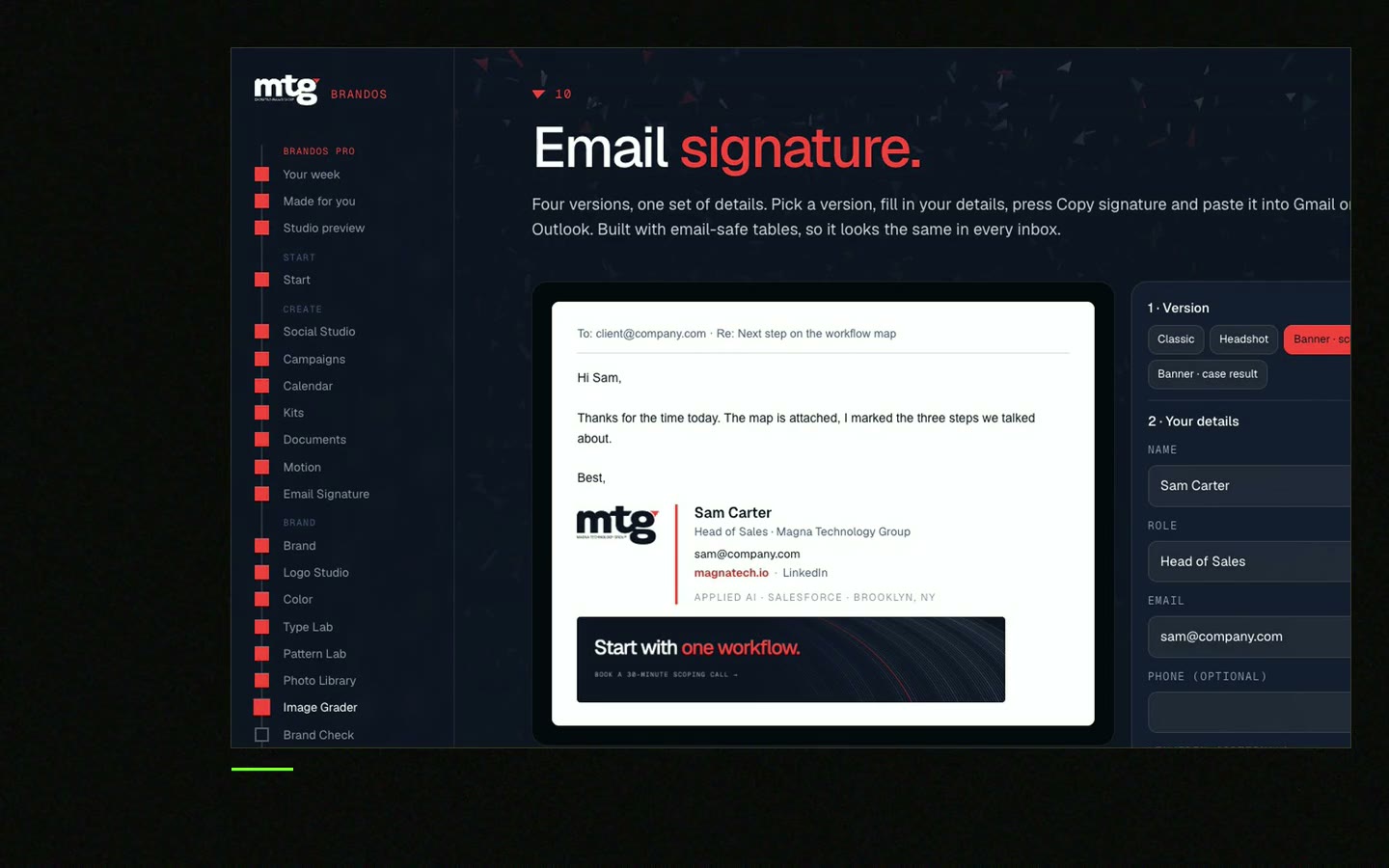
Free tool
Every new hire needs one on day one. Fill in the name and role and copy an on-brand signature. It is free and runs right here.
Send this the day before they start. Change the parts in brackets.
Hi [name],

welcome to [company]. Before you start, here is our brand in one place:
[link to brand portal]

Tomorrow we will spend 30 minutes on it together. You do not need to read it all. Just look at:
1. The logo page (which logo goes where)
2. Our three voice rules
3. The approved facts list (what we may say about us)

Your first three tasks:
- Make your email signature: [link]
- Add the company banner to LinkedIn: [link]
- Make one [post / slide / one-pager] for your work. [buddy name] will check it with you.

If you cannot find something, ask [buddy name]. Then we fix the portal, so the next person finds it.

[your name]
Need the signature part first? Read company email signature and LinkedIn banner size for a company team.
Leave your email. I design them by hand and send them to you within 48 hours. It costs you nothing.
I write to you from [email protected]. If you do not see it, check spam.
Less is more. These seven things cover the first month.
Short on rules? Start with one-page brand guidelines. You can grow them later, using what to include in brand guidelines.
In a Brand OS Portal, the new hire gets the link and starts making.

Brand OS Pro Portal. The team makes its own posts. No waiting.

Brand OS Core Portal. The CEO writes and designs an on-brand LinkedIn post in about 3 minutes.
Jeremy Murray from KORDIN said it simply about the brand tools: "Our team just uses them without asking questions." That is the goal of onboarding. Read more on what a brand portal is.
Tick what is true today. Your ticks stay on this device.
0 of 9 done
Try one Brand OS Portal tool
This is a real tool from a real Brand OS Portal, on the MTG brand. Pick a layout and a line. You get a banner in the brand.
The logo rules, colours, fonts, three voice rules, approved facts, templates for their role and one person to ask. Keep the first session to about 30 minutes.
The person who owns the brand, usually in marketing. A buddy from the new hire's own team checks the first piece of work.
About an hour on day one, plus a short check after a month. People learn more from small tasks than from long talks.
No. Show them the parts they use every day. The rest stays in the portal for when they need it.
Give them the same voice rules and facts your AI tools use. See how to make ChatGPT use your brand voice.
See what ChatGPT says about your company, and how to fix it.
You hear from me within 2 to 8 hours.
May I use cookies for Google Analytics and Clarity to see which pages help? Privacy



