
 Hrvatski
Step 1
Position
Decide who you are for and what you do. Everything else follows this. See brand positioning for SaaS.
A brand system is a small set of parts that make every post, deck and page look like you.
Free: your brand in 3 real designs, in 48 hours.
A brand system for an AI startup has seven parts: a clear position, a name and logo, colours, type, a voice, a few ready designs and a place where the team finds it all.
Build in that order. Start with a one-week starter version, then grow it. The point is that anyone on the team can make something on brand without asking.
 By Vedran Obradović · Updated 7 November 2026
Not a logo. Not a PDF. A set of parts that work together.
A logo is one part. A brand system is the logo plus the rules and the tools that let ten people use it the same way.
AI startups feel this early. The product changes every month. The team grows fast. Investors, customers and new hires all see the brand in week one. If each person makes their own version, the company looks smaller than it is.

Each part has one job.
| Part | Its job | A starter version |
|---|---|---|
| 1. Position | Say what you do, for whom | One sentence. See positioning statement examples. |
| 2. Name and logo | Be recognised | Logo in 4 colour versions, a small icon. See logo files you need. |
| 3. Colour | Set the mood, stay readable | 1 main colour, 1 background, 2 neutrals. See how to choose brand colours. |
| 4. Type | Make words feel like you | 2 fonts, sizes for headline and body. See font pairing for SaaS. |
| 5. Voice | Sound like one person | 5 rules and 5 sample sentences. See brand voice guidelines. |
| 6. Ready designs | Make daily work fast | Post, slide, banner, signature. |
| 7. A home | One link for everything | A page or portal, not a folder in someone's drive. |
The last two parts decide whether the other five get used. Most young teams skip them. Then the brand lives in the founder's head. Read what to include in brand guidelines.
Free tool
Write your one-line position. You get a quick read on how clear it is and what to sharpen top. It is free and runs right here.
Same parts, in the order that saves rework.
Step 1
Decide who you are for and what you do. Everything else follows this. See brand positioning for SaaS.
Step 2
The look. This is the part a designer does well. See startup branding package.
Step 3
How you sound and what you may claim. AI tools need this most.
Step 4
The 4 things the team makes weekly, as locked designs.
Step 5
Put it all in one link. Share it with the team, partners and AI tools.
Step 6
The product moves. Update the facts and the examples.
If you already have a logo but nothing else, jump to step 3. Do not redo the logo to fix a voice problem.
Leave your email. I design them by hand and send them to you within 48 hours. It costs you nothing.
I write to you from [email protected]. If you do not see it, check spam.
You do not need 100 pages to begin. Here is a plan for a small team.
DAY 1 - Position
Write one sentence: We help [who] to [do what] so that [result].
Show it to 3 customers. Fix the words they do not understand.

DAY 2 - Look
Collect your logo files, 1 main colour with hex code, 1 background colour, 2 neutrals.
Pick 2 fonts. Write down sizes for headline, body and small text.

DAY 3 - Voice
Write 5 rules: how short, how formal, words we like, words we never use, how we talk about AI.
Add 5 real sentences from your own site that sound right.

DAY 4 - Facts
List 10 facts you may quote, each with a source and a date.
List 3 claims nobody may make without proof.

DAY 5 - Ready designs
Make or collect one design each for: LinkedIn post, slide, banner, email signature.
Lock logo, colour and type. Leave words and photo open.

DAY 6 - One home
Put it all on one page. Remove old copies.

DAY 7 - Test
Ask someone new to make a post with that page. Fix what stops them.
The day 7 test matters most. If a new person can make a post alone, your system works. If not, the gap is the next thing to fix.
Dark background, purple glow, a sparkle icon. You know the look.
More in why AI startups look the same and the AI brand identity examples.
A designer is the right call for the position, the identity and the starting designs. Not for the tenth LinkedIn banner.
Once the system exists, the daily work repeats: a post, a banner, a signature, a deck. If each one waits for a designer, the team slows down.
A Brand OS Portal holds the system and the makers in one login. Social Studio for posts, Motion Posts for short videos, LinkedIn Banners for a banner for every person, Signature Builder for emails, and Pitch Deck Builder where you tell your story and get the slides in your brand.
The designer stays for what is new: a new product line, a rebrand, a big launch. See brand portal vs designer retainer.
Tick what is true today. Your ticks stay on this device.
0 of 8 done
Want a head start? Read the AI-ready brand system guide or the brand portal overview.
Try one Brand OS Portal tool
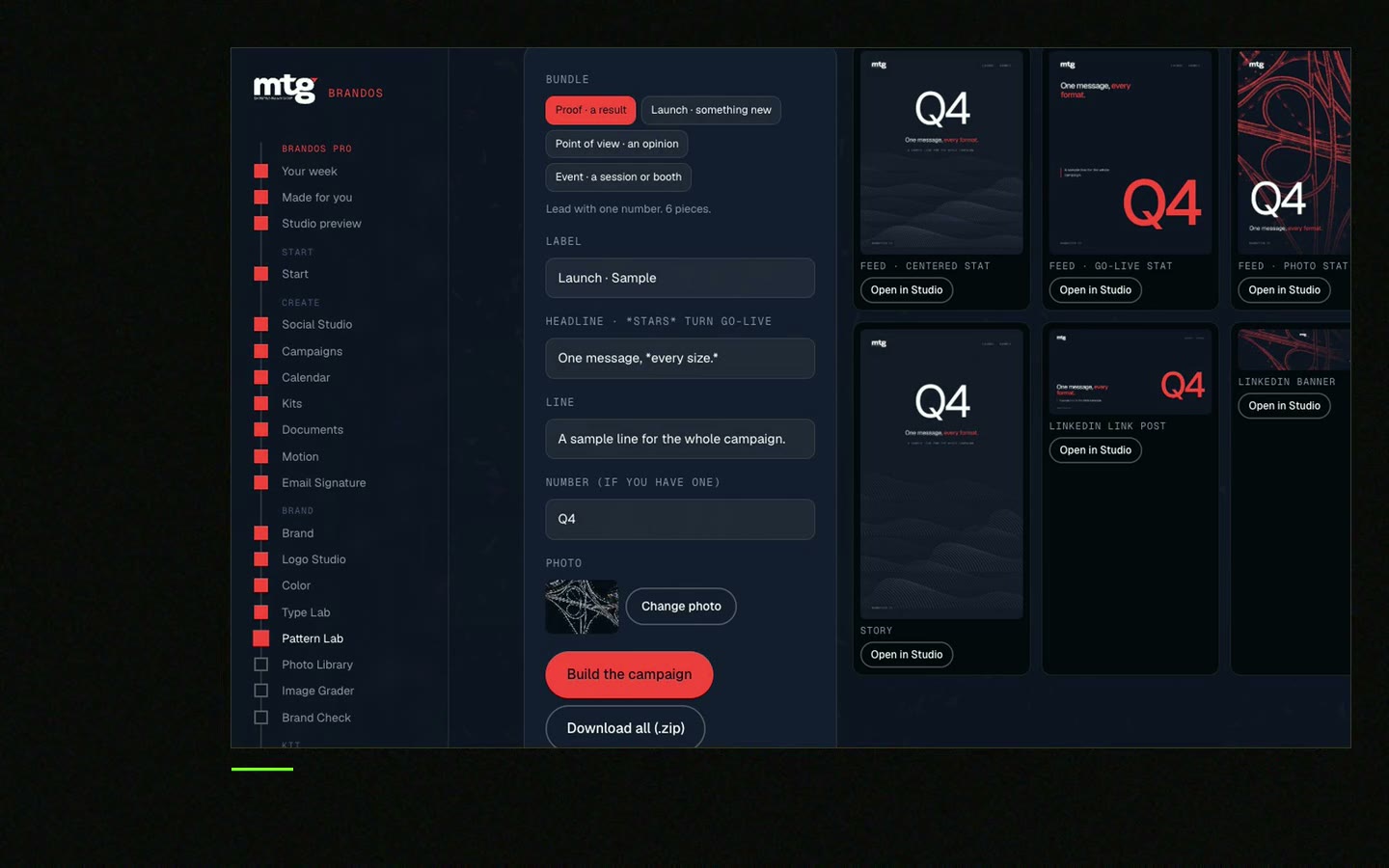
This is a real tool from a real Brand OS Portal, on the MTG brand. Pick a design, change the words, download.
Watch
I made short videos of the tools. Hear me explain them, then scroll through every one at work. Real tools, on a real brand.

A set of parts that work together: position, logo, colour, type, voice, ready designs and one home. It lets many people make on-brand work.
As soon as more than one person makes posts, slides or pages. A starter version can be done in a week.
Guidelines describe the rules. A system also includes the files and tools people use every day. See brand guidelines vs Brand OS.
Often one main colour, one background colour, two neutrals and two fonts. Fewer choices make a brand easier to keep right.
For the position and the look, yes, a designer helps a lot. For the daily work after that, a portal lets your team do it without one.
Death List Five. Five headaches, one portal. Sound on.
See what ChatGPT says about your company, and how to fix it.
You hear from me within 2 to 8 hours.
May I use cookies for Google Analytics and Clarity to see which pages help? Privacy




