
 Hrvatski
Part 1
Title and promise
One line that says what people will learn. Not what you will talk about.
A webinar promotion kit is a small set of ready assets that you send out before, on and after the day.
Free: your brand in 3 real designs, in 48 hours.
A webinar promotion kit is a small set of files and words you reuse for one event: a title, a date with time zone, a speaker line, a registration link, a banner, a social post, an invite email and two reminders.
Build it once, then let speakers and partners share it. Start four weeks out. Keep the look the same on every piece so people know it is you.
 By Vedran Obradović · Updated 7 November 2026
You do not need 30 files. You need these eight.
Part 1
One line that says what people will learn. Not what you will talk about.
Part 2
Write the time zone in words, like 3 pm London time. Add a link that adds it to a calendar.
Part 3
Name, role, company. One line each. Add a clear photo.
Part 4
One link for every channel. Keep it short.
Part 5
One image for the registration page and the LinkedIn event.
Part 6
A square post, a tall post and a short video. See LinkedIn post templates for B2B.
Part 7
One invite email and two short reminders. Use the same signature for everyone. See company email signature.
Part 8
A follow-up email with the replay link and the slides.
Most sign-ups come late. But the early weeks build the list.
| When | What goes out | Where |
|---|---|---|
| 4 weeks before | Registration page, banner, opening LinkedIn post | Website, LinkedIn |
| 3 weeks before | Invite email to your list, speaker post | Email, LinkedIn |
| 2 weeks before | Short video, ask speakers and partners to share | LinkedIn, partners |
| 1 week before | Reminder 1, one useful tip from the talk | Email, LinkedIn |
| 1 day before | Reminder 2 with the join link | |
| Day of | Going live in one hour post | |
| After | Replay, slides, thank you |
This is a plan I would use. Adjust it to your list size and your audience.
Ask your own team to share too. Posts from people get seen more than posts from a page. Read how in employee advocacy on LinkedIn.
Free tool
People decide in two seconds if a webinar is from a real company. Answer a few short questions. You get a brand score and the one thing to fix. It is free and runs right here.
Fill in the brackets. Keep the sentences short.
Subject: [Topic] in 30 minutes: [date]

Hi [name],

On [date] at [time and zone] I am running a live session on [topic].

You will leave with:
- [Takeaway 1]
- [Takeaway 2]
- [Takeaway 3]

[Speaker name], [role] at [company], will show [one real example].

Save your seat: [short link]

If you cannot join live, register anyway. I will send the replay.

[Name]
[A hard question your buyer asks]

On [date] [speaker] and I will answer it live. 30 minutes. No sales pitch.

You will see:
1. [Takeaway 1]
2. [Takeaway 2]
3. [Takeaway 3]

Register here: [short link]
Check the words match your voice. See brand voice guidelines if you have none yet.
Leave your email. I design them by hand and send them to you within 48 hours. It costs you nothing.
I write to you from [email protected]. If you do not see it, check spam.
The kit is made in a rush, by three people, in three tools. That is why it looks different on each channel.
This is what a set of brand templates is for. With a Brand OS Portal, the team picks a design, changes the words and the photo, and downloads it. No waiting in a design queue. A designer is still the right call for brand strategy and a new identity. Brand OS Portal is for the daily work after that.
Tick what is ready. Ticks stay on this device.
0 of 9 done
Doing a bigger launch? Use the product launch brand assets checklist. Want a short brief to start from? Try the campaign brief for small marketing teams.
Try one Brand OS Portal tool
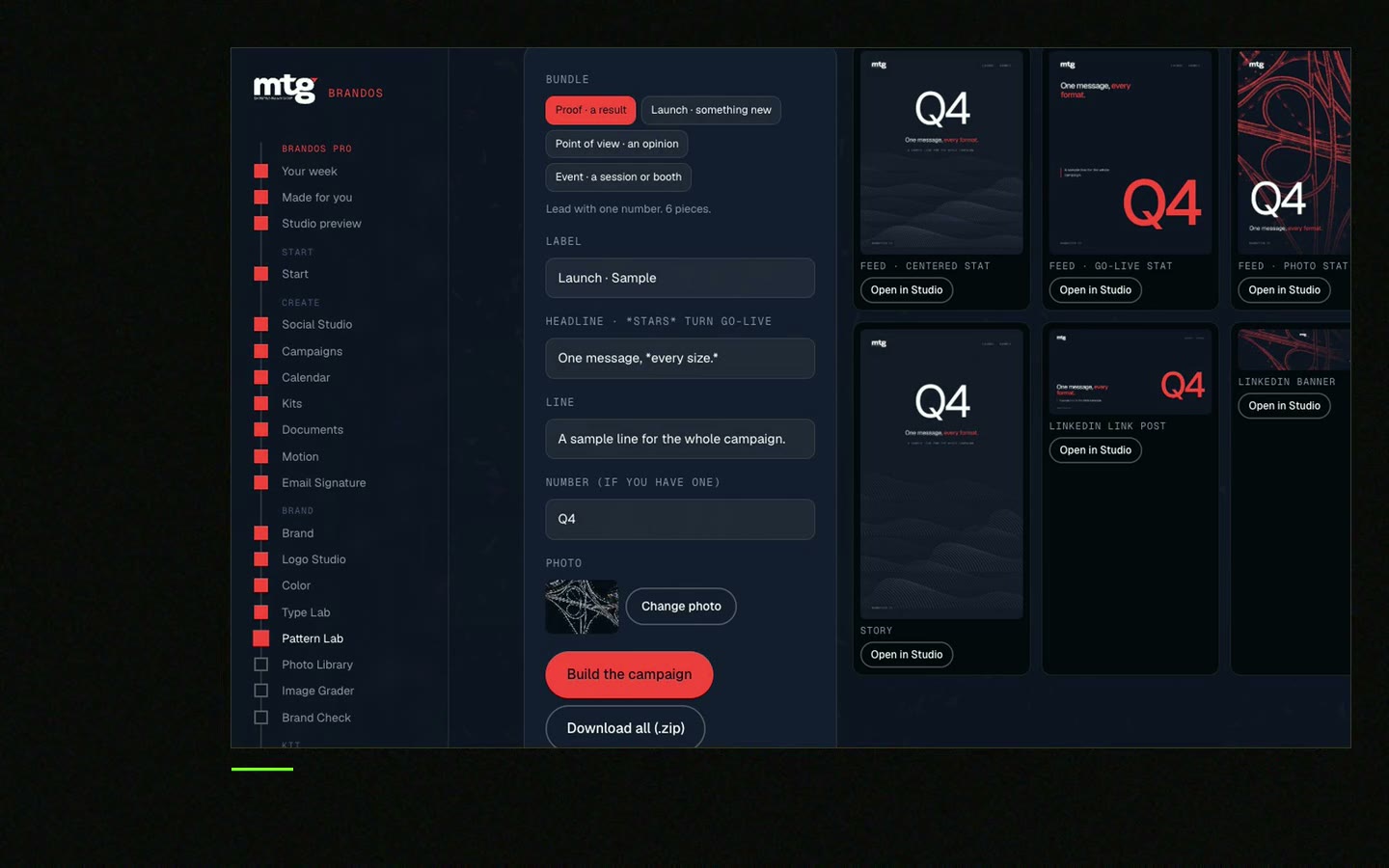
This is a real tool from a real Brand OS Portal, on the MTG brand. Change the words. The design stays on brand. Try it with your webinar title.
Watch
I made short videos of the tools. Hear me explain them, then scroll through every one at work. Real tools, on a real brand.

A title, date with time zone, speaker line, registration link, banner, social posts, an invite email, two reminders and a thank you email with the replay.
Many teams start about four weeks before. Send a reminder one week and one day before, and a last post on the day.
Post the topic and the takeaways, tag the speakers, ask your team to share, and send one short reminder on the day.
Send them the ready post, the banner and the link in one message. The less they have to make, the more they share.
Yes, if the banner and post layouts are already made. You change the words and the photo. A designer sets the layouts once.
Death List Five. Five headaches, one portal. Sound on.
See what ChatGPT says about your company, and how to fix it.
You hear from me within 2 to 8 hours.
May I use cookies for Google Analytics and Clarity to see which pages help? Privacy





