
 Hrvatski
Step 1
Pick the layout you like
Keep the idea: grid, spacing, size of headline. Drop the rest.
A one-off AI design is not a template yet. Lock the brand parts, open the words, and your team can reuse it.
Free: your brand in 3 real designs, in 48 hours.
To turn an AI generated design into an editable template, keep the layout you like, rebuild it with real text and real shapes, lock the logo, colours and fonts, and leave the words and photo open.
Then test it with three different messages. If it still looks right every time, share it from one place so the team uses the same file.
 By Vedran Obradović · Updated 7 November 2026
An AI tool gives you one nice picture or one page. Your team needs the same look a hundred times.
Founders say it in forums: "AI makes one great slide, then the next one looks different". That is the gap. A design is one result. A template is a promise that the next result will match.
A template needs three things: fixed brand parts, open parts with limits, and one shared home.
These steps work in any design tool your team already uses.
Step 1
Keep the idea: grid, spacing, size of headline. Drop the rest.
Step 2
Real text boxes, real shapes and real image frames. A flat picture cannot be edited.
Step 3
Your logo file, your colour codes, your fonts. See which logo files you need.
Step 4
Logo place, colours, fonts and grid. Nobody should drag these.
Step 5
For example: headline up to 8 words, photo from the approved set.
Step 6
A short one, a long one and a number. If it breaks, fix the template, not the message.
Need the full picture of what to lock? Read how to create brand templates.
Free tool
A template is as steady as as the rules behind it. Check if your brand is ready for AI. It is free and runs right here.
Fill one in for every template. It stops long back and forth.
Template name: [e.g. LinkedIn quote post]
Where it is used: [LinkedIn feed / deck / email]
Size: [e.g. 1080 x 1350]

LOCKED
- Logo: [file name], top left, clear space [rule]
- Colours: [codes]; background choices: [2-3]
- Fonts: [headline font], [body font]; sizes fixed
- Grid and margins: fixed

OPEN
- Headline: up to [8] words
- Support line: up to [15] words
- Photo: from the approved set

TEST MESSAGES
1. Short: [3 words]
2. Long: [max length]
3. With a number: [e.g. 3x faster]

Owner: [name]. Last checked: [date].
The same idea works for slides. See the company PowerPoint template guide.
Leave your email. I design them by hand and send them to you within 48 hours. It costs you nothing.
I write to you from [email protected]. If you do not see it, check spam.
Lock too little and the brand drifts. Lock too much and people stop using the template.
| Part | Lock? | Why |
|---|---|---|
| Logo and its place | Lock | It should never move or change colour |
| Colours | Lock to the palette | Free choice leads to drift |
| Fonts and sizes | Lock | Type breaks early |
| Headline words | Open, with a limit | The job people came to do |
| Photo | Open, from approved set | Fresh content keeps posts alive |
Tick what is true. Your ticks stay on this device.
0 of 8 done
Fewer than six ticks? You have a nice design, not yet a template.
Rebuilding by hand takes time. Many teams end up paying a designer to do it each time.
In a Brand OS Portal, AI to template turns a design into a reusable on-brand template. Your team then makes posts in Social Studio and videos in Motion Posts, without waiting. A designer is still right for the strategy and the identity. The portal is for the daily work after.

Brand OS Pro Portal. The team makes its own posts. No waiting.

Brand OS Core Portal. The CEO writes and designs an on-brand LinkedIn post in about 3 minutes.
Related: ChatGPT image to editable design, AI design vs brand template and Claude Design on brand.
Try one Brand OS Portal tool
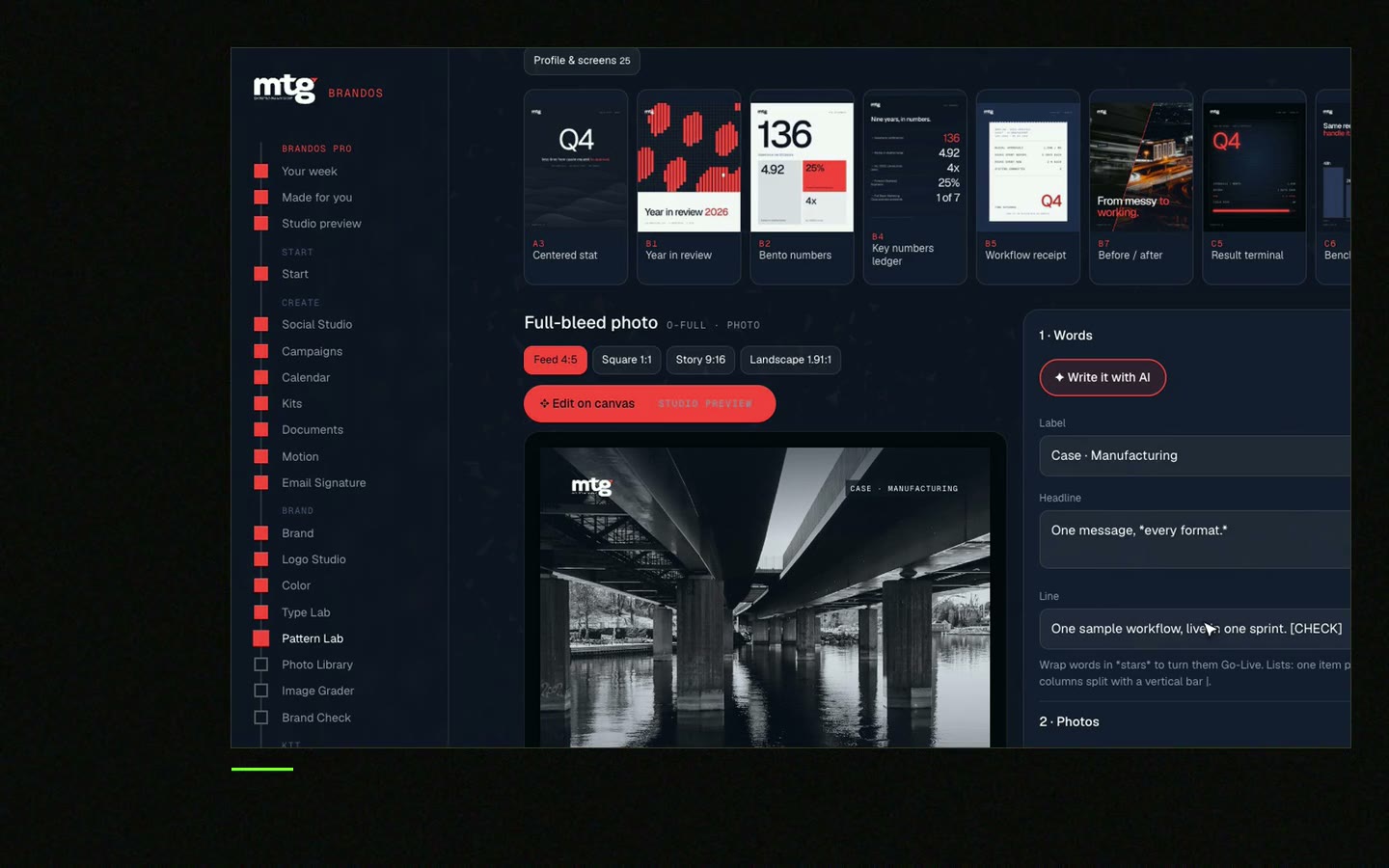
This is a real tool from a real Brand OS Portal, on the MTG brand. Pick a design, change the words and the photo. The brand stays locked.
Watch
I made short videos of the tools. Hear me explain them, then scroll through every one at work. Real tools, on a real brand.

If the parts are real text and shapes, yes. A flat picture cannot be edited, so rebuild it with real parts.
A ready design where people change the words and photo while the logo, colours and fonts stay locked.
Give the tool your brand rules and rebuild the result as a locked template. Read AI generated posts that stay on brand.
Start with the three things you make most, often a social post, a slide and an email signature.
Yes. That is the point of locking the brand parts. See Brand OS Portal.
Death List Five. Five headaches, one portal. Sound on.
See what ChatGPT says about your company, and how to fix it.
You hear from me within 2 to 8 hours.
May I use cookies for Google Analytics and Clarity to see which pages help? Privacy



