
 Hrvatski
Reason 1
The rules are far away
A 90-page PDF is not open while you post. See brand guidelines vs Brand OS.
When many people post, the brand holds if the design is locked and the words and photo are the open parts.
Free: your brand in 3 real designs, in 48 hours.
To keep social media posts on brand across a team, stop asking people to follow rules. Give them ready designs where the logo, colours and fonts are locked. They change the words and the photo.
Add a short voice guide, a list of approved facts and one owner. Then ten people can post, and it still looks like one company.
 By Vedran Obradović · Updated 7 November 2026
Guidelines nobody follows are a common story. The reason is not lazy people.
Reason 1
A 90-page PDF is not open while you post. See brand guidelines vs Brand OS.
Reason 2
If anyone can change any colour, someone will.
Reason 3
No owner means no one says "please fix this".
AI drafts add a fourth reason: output that looks and sounds generic. More on that in AI-ready brand guidelines.
Each rule is small. Together they hold the look.
Rule 1
Logo, colours, fonts and grid cannot be changed in a post.
Rule 2
People need freedom where it is safe.
Rule 3
A long line breaks a good layout.
Rule 4
One place for designs, logo files and rules. Read brand consistency for remote teams.
Rule 5
Common posts need no approval. New kinds of post do.
Rule 6
One person who fixes the designs and answers questions. See brand governance for startups.
Free tool
Posts copy whatever your brand is today. Answer a few short questions. You get your brand score and the top thing to fix. It is free and runs here.
Put it at the top of your shared folder or portal. Keep it to one page.
[COMPANY] - HOW WE POST (owner: [name], updated [date])

1. START FROM A READY DESIGN
Open [link]. Pick a design. Do not start from a blank page.

2. CHANGE JUST TWO THINGS
The words and the photo. Logo, colours and fonts stay as they are.

3. WORDS
- Big line: [8 words or fewer]
- Tone: [three words, e.g. clear, calm, direct]
- Never say: [list]

4. PHOTOS
Use photos from [folder]. Ask [name] before using a client or a person.

5. FACTS
You may say: [approved facts]. You may not promise: [list].

6. WHEN IN DOUBT
Ask [name] on [channel]. Replies within [time].
For the voice part, read brand voice guidelines and tone of voice prompts.
Leave your email. I design them by hand and send them to you within 48 hours. It costs you nothing.
I write to you from [email protected]. If you do not see it, check spam.
An honest look at each.
| PDF rules and training | Everything-open template tool | Locked designs in a portal | |
|---|---|---|---|
| Where the rules live | In a PDF | In a set of templates | In the design itself |
| Can a person go off brand? | Easily | Yes | Hard to |
| Time to make a post | Slow, you ask a designer | Minutes | Minutes |
| New hire on day one | Reads a long document | Learns the tool | Opens the link, makes a post |
MTG has a 104-page set of guidelines, 54 social posts and a Brand OS Pro Portal.
The MTG team makes its own posts. They do not wait for a designer. For KORDIN, Jeremy Murray said: "Our team just uses them without asking questions." That is the goal: the right thing is also the easy thing.
Read about brand onboarding for new hires and brand compliance if your team is bigger.
Tick what is true today. Your ticks stay on this device.
0 of 8 done
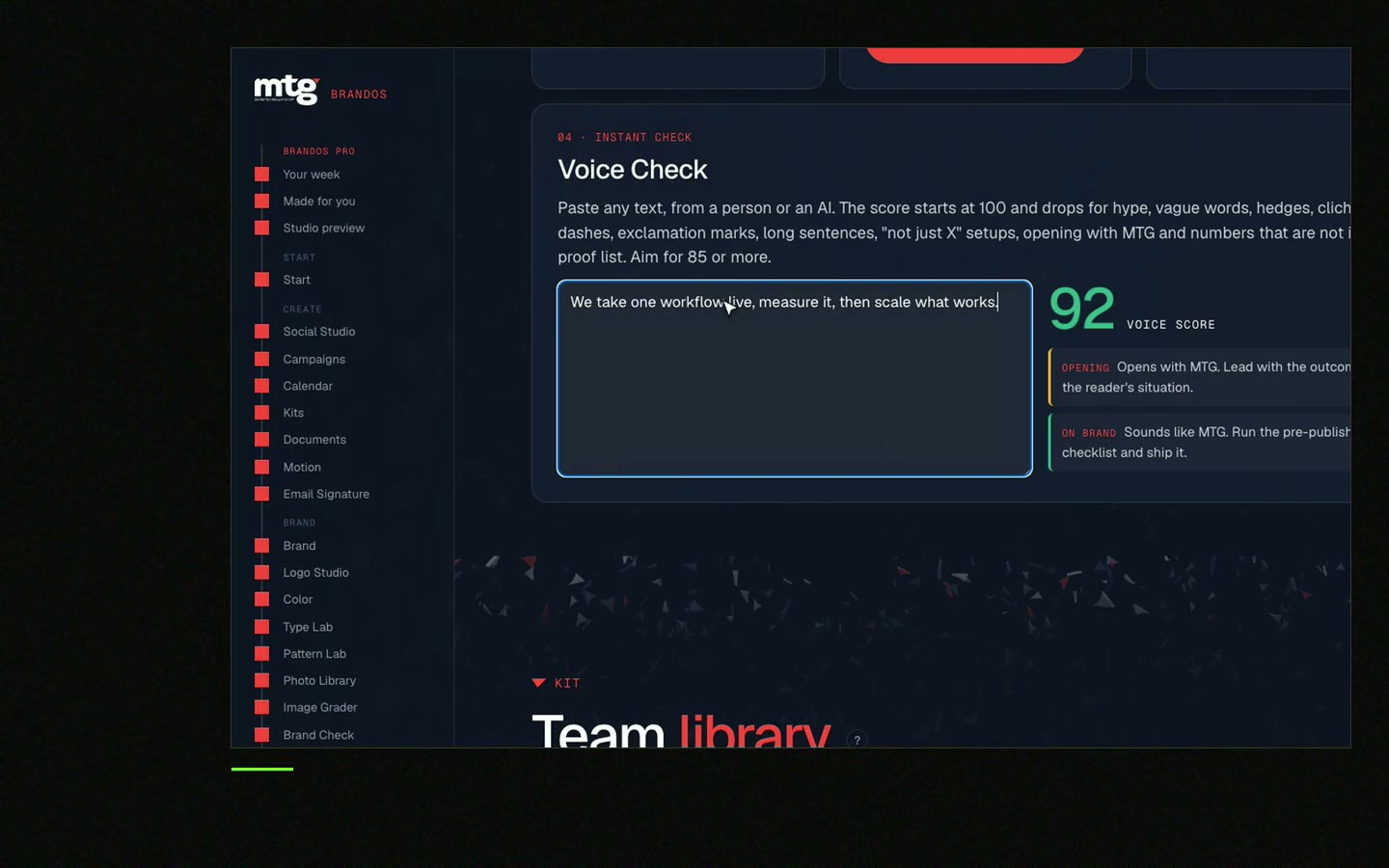
Try one Brand OS Portal tool
This is a real tool from a real Brand OS Portal, on the MTG brand. Pick a design, change the words and the photo, and see how it still looks right.
Watch
I made short videos of the tools. Hear me explain them, then scroll through every one at work. Real tools, on a real brand.

Give everyone ready designs where the brand parts are locked, add a short voice guide and name one owner.
The rules are far away, the tools allow everything and nobody owns them. Put the rules inside the design.
No. Approve new kinds of post. Common posts made from locked designs do not need it.
Give AI your voice rules and approved facts, and put the final post in a locked design. Read AI-ready brand guidelines.
One named person, often in marketing, who keeps designs and answers questions.
Death List Five. Five headaches, one portal. Sound on.
See what ChatGPT says about your company, and how to fix it.
You hear from me within 2 to 8 hours.
May I use cookies for Google Analytics and Clarity to see which pages help? Privacy





