
 Hrvatski
Always
The brand files
Logo in colour, white and black, in SVG and PNG. Colours with HEX. Fonts or where to get them.
Send one link and a one-page brief, not a 90-page PDF and a zip. Then check the first delivery together.
Share one link to your brand portal or partner kit, plus a one-page brief for the job. The link holds the files and rules. The brief says what this job needs.
Keep the partner part short: logos, colours, fonts, clear space, voice rules, approved facts and a few do and do not examples. Check the first delivery against it before anything goes live.
 By Vedran Obradović · Updated 4 November 2026
They need less than your team, but it must be right.
Always
Logo in colour, white and black, in SVG and PNG. Colours with HEX. Fonts or where to get them.
Always
Clear space, smallest size, colour pairs, three voice rules, and five do and do not examples.
Always
What they may say about you, and claims they may not make.
Per job
Goal, audience, the one message, where it runs, sizes, deadline and who approves.
For the logo part alone, see how to share logo files and logo usage guidelines.
Worst
They save it somewhere. Six months later someone uses that old copy.
Weak
Better, but full of old files and no help choosing the right one.
Good
A short PDF or page made for outside people: only what they need.
Best
Always the latest files and rules, plus tools that give the right file for each job. You can close access when the job ends.
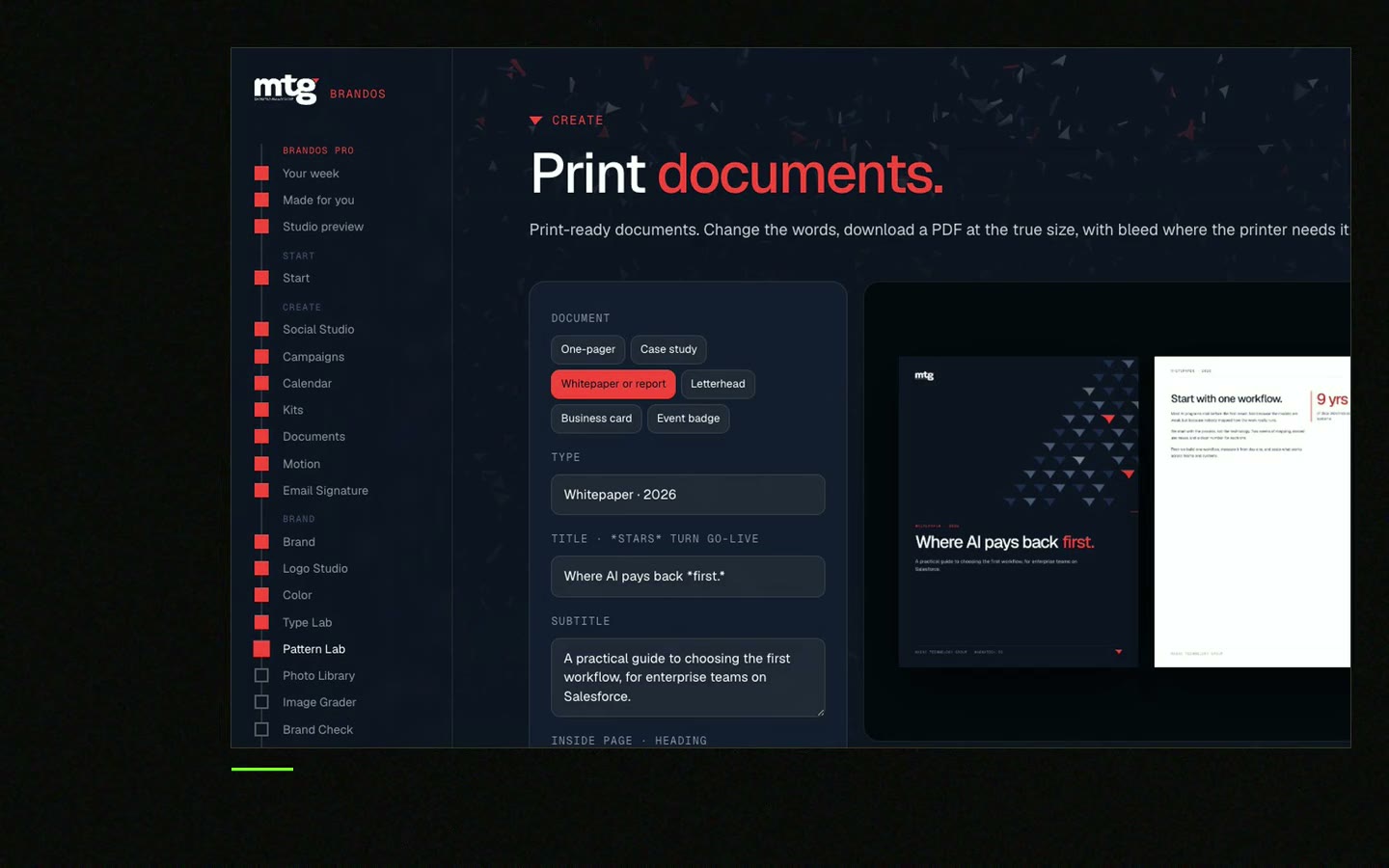
Free tool
Add your logo, pick a rule and download the guide. Your file stays on your device. It is the rule agencies break most.
Send it with the brand link for every new job.
Project: [name]
Deadline: [date]. First draft by: [date].
Approves the work: [name]. Questions go to: [name, email].

Brand: [link to brand portal or partner kit]
Use only files and facts from this link. Please do not use files from our website or old emails.

Goal: [what should happen after people see this]
Audience: [who, role, company type, market]
One message: "[the one thing they should remember]"
Where it runs: [channels, sizes, formats]

Must use: [template, colours, photos, claims from the approved facts list]
Must not: [claims, words, colours, styles to avoid]

Please send: [file types], named like [company-project-version].
We will check the first draft against the brand rules before anything goes live.
Hiring outside help soon? Read freelance brand designer vs agency and how to hire a brand designer on Upwork.
Leave your email. I design them by hand and send them to you within 48 hours. It costs you nothing.
I write to you from [email protected]. If you do not see it, check spam.
A partner kit is the outside version of your guidelines. Short on purpose.

Brand OS Core Portal. The CEO writes and designs an on-brand LinkedIn post in about 3 minutes.
Guidelines with real rules: clear space, variations, monochrome, what not to do, colour pairing and type.
Deepsea Networks has 88-page guidelines and a separate 17-page partner kit for people outside the company. See the Deepsea Networks case.
Check the first one well. After that, a quick look is enough.
0 of 8 done
When the job ends, remove access to anything private. A brand portal makes this one click. See also the brand portal checklist.
Try one Brand OS Portal tool
This is a real tool from a real Brand OS Portal, on the MTG brand. Pick where the logo goes. The portal hands you the right file and size.
Send the link to the full guidelines, but point them to a short partner kit first. Most jobs only need logos, colours, fonts, voice rules and facts.
A short version of your brand guidelines made for outside people: agencies, freelancers, resellers and event teams.
Share a link you control instead of attachments, and remove access when the job ends.
The goal, audience, one message, where it runs, sizes, deadline, who approves, and the brand link.
Give one link that always holds the latest files, ask them to delete older copies, and check the first delivery.
See what ChatGPT says about your company, and how to fix it.
You hear from me within 2 to 8 hours.
May I use cookies for Google Analytics and Clarity to see which pages help? Privacy



