
 Hrvatski
Step 1
Count for two weeks
Write down every request: who, what, how long it took. Use the tally sheet below.
Most design requests are the same ten jobs. Turn them into ready designs and the queue gets short.
Free: your brand in 3 real designs, in 48 hours.
To reduce design requests, count them for two weeks, sort them into four groups, turn the repeat jobs into ready designs the team uses alone, and set a short intake form for what is left.
Also approve the system once, not each piece, so approvals do not become the new queue.
 By Vedran Obradović · Updated 7 November 2026
It is rarely about the volume of work. It is about the type.
In most marketing teams, a few jobs make up most requests: change a headline, resize a post, swap a photo, make a banner for a new person, update a slide.
None of these need design thinking. They need a ready design and a bit of space to change words. But without that, each one is a ticket.
So the lead fix is not a better ticket system. It is fewer tickets.
Start Monday. By week three the queue should look different.
Step 1
Write down every request: who, what, how long it took. Use the tally sheet below.
Step 2
Repeat, small edit, new, and project. Repeat and small edit are your target.
Step 3
Post, banner, signature, deck, one-pager. Logo, colour and type locked. Words and photo open.
Step 4
For what remains, one form with five fields. No requests in chat.
Step 5
Approve designs and facts, not each piece. See the approvals section below.
For how templates should be locked, see company PowerPoint template and LinkedIn post templates.
Free tool
Ready designs work on a solid base. Answer a few short questions and see your brand score. It is free and runs right here.
Paste it into a sheet. Fill one row per request.
Date | Who asked | What (one line) | Type (R/S/N/P) | Time to finish | Could a ready design do it? (Y/N)

Types:
R = Repeat (we did the same thing before)
S = Small edit (change words, photo or size)
N = New (needs an idea)
P = Project (many parts, weeks)

After two weeks, count:
R: [  ]   S: [  ]   N: [  ]   P: [  ]
Share of R + S: [  ] percent
Top 3 repeat jobs: 1. [  ]  2. [  ]  3. [  ]

Start with ready designs for the top 3 repeat jobs.
Most teams find that repeat and small edits are the biggest share. Those are the jobs a portal is built for. See brand portal vs designer retainer.
Leave your email. I design them by hand and send them to you within 48 hours. It costs you nothing.
I write to you from [email protected]. If you do not see it, check spam.
Five fields. If a field is empty, the request waits.
1. What is it for? (campaign, sales, event, other)
2. Who will see it? (audience and channel)
3. What must it say? (one sentence)
4. When is it needed? (date and why that date)
5. Is there a ready design that could do it? (link, or "none")

Answer in 2 working days. If it can be done from a ready design, reply with the link.
The last question teaches the team to look before asking. Over time, fewer requests arrive, because people find the design themselves. Learn why a single home matters in brand asset management for small teams.
If every piece needs sign-off, the queue just moves from design to approval.
More in the brand consistency playbook and brand doc review.
Ready designs help if people can find and use them. That is the job of a portal.
In a Brand OS Portal, the team logs in, picks a design and makes the post, banner, signature or video. No ticket. No wait. Social Studio for posts, Motion Posts where you type one line and get a video, LinkedIn Banners for a banner for every person, and Signature Builder for every email.
Pitch Deck Builder helps with decks: you tell it your story and get the slides in your brand. No blank page.
A designer is still right for strategy and a new identity. The portal is for the daily work after that. Read Brand OS Portal.
Tick what is done. Your ticks stay on this device.
0 of 8 done
New in the job? Start with the brand checklist for a new marketing director.
Try one Brand OS Portal tool
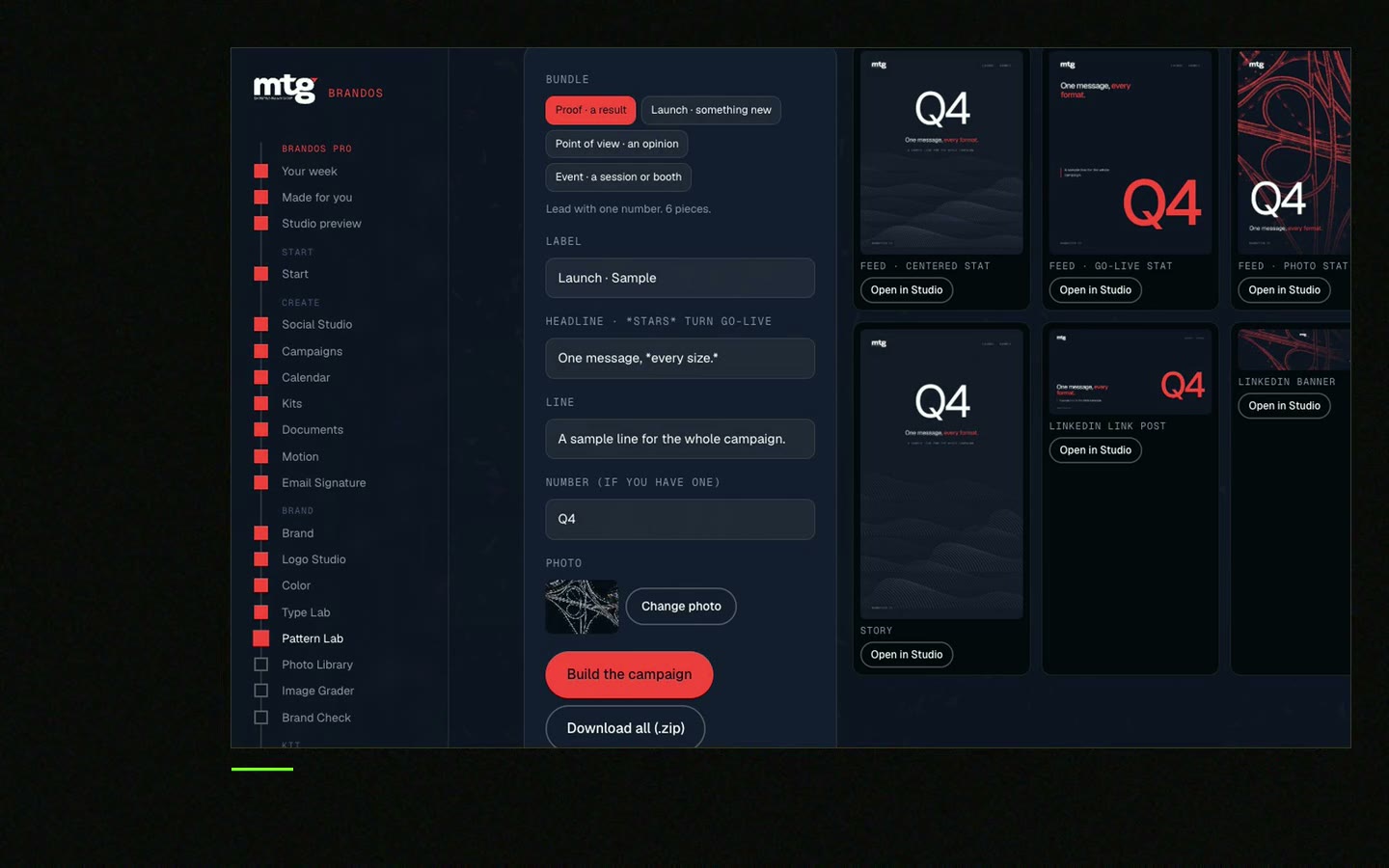
This is a real tool from a real Brand OS Portal, on the MTG brand. Change the words and the photo, download.
Watch
I made short videos of the tools. Hear me explain them, then scroll through every one at work. Real tools, on a real brand.

Count them, sort them, turn repeat jobs into ready designs, and set a short intake form for what is left.
Posts, banners, signatures, decks, one-pagers and short videos from ready designs. Words and photo change, the brand stays locked.
Approve designs and facts once, check new words and claims, and name one approver with a reply time.
What it is for, who will see it, what it must say, when it is needed, and whether a ready design could do it.
No. A designer is right for strategy, a new identity and new ideas. Fewer small requests give them time for that.
Death List Five. Five headaches, one portal. Sound on.
See what ChatGPT says about your company, and how to fix it.
You hear from me within 2 to 8 hours.
May I use cookies for Google Analytics and Clarity to see which pages help? Privacy





