
 Hrvatski
Step 1
Open settings
In Gmail on a computer, click Settings at the top right, then See all settings.
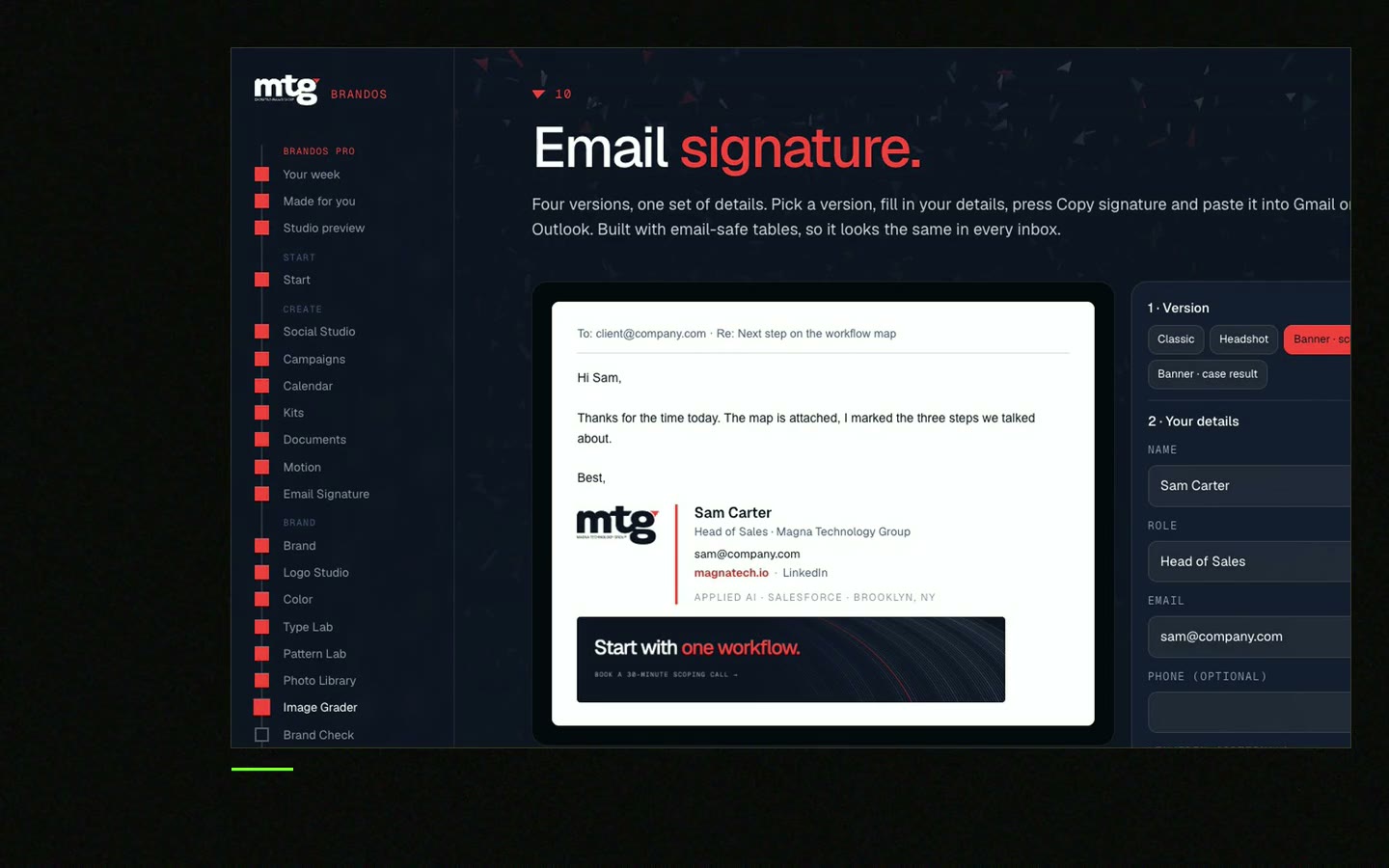
Build one signature, give each person their own details, and send the steps for Gmail or Outlook. This takes about an hour.
Free: your brand in 3 real designs, in 48 hours.
To set up one email signature for a team, build a master layout, fill in each person's name, role and contact line, and send each person the install steps for their mail app.
In Gmail, go to Settings, then See all settings, then Signature. In new Outlook, go to Settings, then Accounts, then Signatures. Steps for both are below.
 By Vedran Obradović · Updated 7 November 2026
Five minutes of planning saves a week of fixes.
These steps are from Google's own help page, checked on 7 November 2026.
Step 1
In Gmail on a computer, click Settings at the top right, then See all settings.
Step 2
Scroll to the Signature box. Type or paste the signature. You can add an image or change the text style.
Step 3
Choose the signature for new emails and for replies. You can also add it by hand while you write.
Step 4
Click Save Changes at the bottom of the page.
Google says a Gmail signature can hold up to 10,000 characters, and images count toward that. If you see an error, make the image smaller.
Free tool
Type a name and a role. You get a clean signature to paste into Gmail or Outlook. It is free and runs right here.
These steps are from Microsoft's own help page, checked on 7 November 2026. There are two versions.
| New Outlook for Windows | Classic Outlook for Windows | |
|---|---|---|
| Where | Settings (gear), then Accounts, then Signatures | New email, then Message, then Signature, then Signatures |
| Create | Add signature, give it a name | Under Select signature to edit, choose New and name it |
| Paste | Type and format it in the box | Compose it under Edit signature |
| Defaults | Tick the boxes for new messages and for replies and forwards | Pick it under New messages and Replies/forwards |
| Finish | Save | OK |
Checked on 7 November 2026 on each company's own site. Classic Outlook does not add the new signature to a message that is already open.
Leave your email. I design them by hand and send them to you within 48 hours. It costs you nothing.
I write to you from [email protected]. If you do not see it, check spam.
Short and clear gets done. Send each person their own signature as a file or in the mail.
Subject: New email signature - please switch by [date]

Hi [name],

we now use one email signature for everyone. Yours is below.

1. Copy the signature.
2. Gmail: Settings > See all settings > Signature > paste > Save Changes.
   Outlook: Settings > Accounts > Signatures > Add signature > paste > Save.
3. Set it for new emails and for replies.
4. Send a test mail to [owner] and check it on your phone.

Please do not change the logo, font or colours. If something looks wrong, ask [owner].

Thanks, [your name]
Add this step to brand onboarding, so every new hire gets the right signature on day one.
Setting it up is easy. Keeping 20 signatures current is the real job.
People change roles. Logos change. Campaigns start and end. If each person edits by hand, the team drifts apart in a few months.
With Brand OS Portal, the Signature Builder keeps the brand in every email, every person, always right. You stop paying a designer to fix signatures one by one.
For a wider look at who owns what, read brand governance for startups.

Brand OS Pro Portal. The team makes its own posts. No waiting.

Brand OS Core Portal. The CEO writes and designs an on-brand LinkedIn post in about 3 minutes.
0 of 6 done
Try one Brand OS Portal tool
This is a real tool from a real Brand OS Portal, on the MTG brand. Change the words. The design stays on brand.
Watch
I made short videos of the tools. Hear me explain them, then scroll through every one at work. Real tools, on a real brand.

In Gmail on a computer, click Settings, then See all settings. Paste the signature in the Signature box and click Save Changes at the bottom.
In new Outlook for Windows, go to Settings, then Accounts, then Signatures, and choose Add signature. In classic Outlook, use Message, then Signature, then Signatures.
Yes. Both Gmail and Outlook let you choose a default for new messages and a different one for replies.
Use one master layout, one owner and a rule sheet. A builder that locks the layout keeps it right when people change roles. See the common signature mistakes.
Some mail apps block images until the reader allows them. Write the company name as text too, and keep the image small.
Death List Five. Five headaches, one portal. Sound on.
See what ChatGPT says about your company, and how to fix it.
You hear from me within 2 to 8 hours.
May I use cookies for Google Analytics and Clarity to see which pages help? Privacy



