
 Hrvatski
Fault
Looks glossy and generic
Ask for a real setting, a real job, and natural light. Remove words like futuristic.
AI makes images fast, but they often look generic. Grade each one on look, truth and rights before you use it.
Free: your brand in 3 real designs, in 48 hours.
An AI image fits your brand if it uses your colours and mood, shows believable people and places, has no strange details, and you are allowed to use it.
Grade each image from 0 to 2 on six checks. Eight or more out of twelve is good to go. Below that, re-make it or swap it.
 By Vedran Obradović · Updated 7 November 2026
Readers on forums say it plainly: AI output looks generic. They are right when no brand rules are used.
Ask any image tool for "a modern tech team" and you get the same smooth, glossy look as everyone else. Your buyers have seen it a hundred times.
A fit check turns "looks nice" into a clear yes or no. It also protects you from odd details, like a sixth finger or a garbled sign.
Give each check 0 (fails), 1 (so-so) or 2 (clean). Add them up.
| Check | What to look for | Score 0-2 |
|---|---|---|
| 1. Colour | Close to your palette, no stray neon or muddy tones | |
| 2. Mood | Same feel as your words and your other images | |
| 3. Believable | Real-looking people and places. Check hands, text and signs | |
| 4. Not generic | Would a stranger say it could be any company? | |
| 5. Room to use | Quiet space for text and a clean crop | |
| 6. Rights | Your tool's terms allow business use. Keep a note |
Eight or more out of twelve: use it. Five to seven: fix it. Under five: remake or swap.
Rules for photos in general are in brand photography guidelines. For prompts that carry your brand, see Midjourney prompts on brand and Gemini image tools for brand assets.
Free tool
A grade needs a standard. Answer a few short questions and get your brand score and the next thing to fix. It is free.
The grade card is easier to pass if the prompt already carries your brand.
Make an image for [company], a [what you do] for [who you serve].
Subject: [one clear thing, e.g. an engineer reviewing a dashboard]
Mood: [e.g. calm, precise, human]
Colours: [brand colours by name; no neon; no extra colours]
Light: [e.g. soft daylight from the left]
Composition: wide shot, quiet space on the [left/right] for a headline
Avoid: glossy 3D look, floating icons, stock handshakes, any text in the image, extra fingers
Keep people looking natural and busy with real work.
Add your real brand rules to the chat so the tool stays steady. See ChatGPT brand guidelines and ChatGPT and Claude projects on brand.
Leave your email. I design them by hand and send them to you within 48 hours. It costs you nothing.
I write to you from [email protected]. If you do not see it, check spam.
Most failed images fail the same way.
Fault
Ask for a real setting, a real job, and natural light. Remove words like futuristic.
Fault
Name your colours in the prompt, or grade the colour after.
Fault
Re-run, or crop them out. Never post an image with a visible glitch.
Fault
Ask for no text. Add real words later in your design tool.
Fault
Ask for a quiet area, or extend the background.
Fault
Read your tool's terms for business use and keep a note with the file.
A card on paper is forgotten. A grade inside the tool is used.
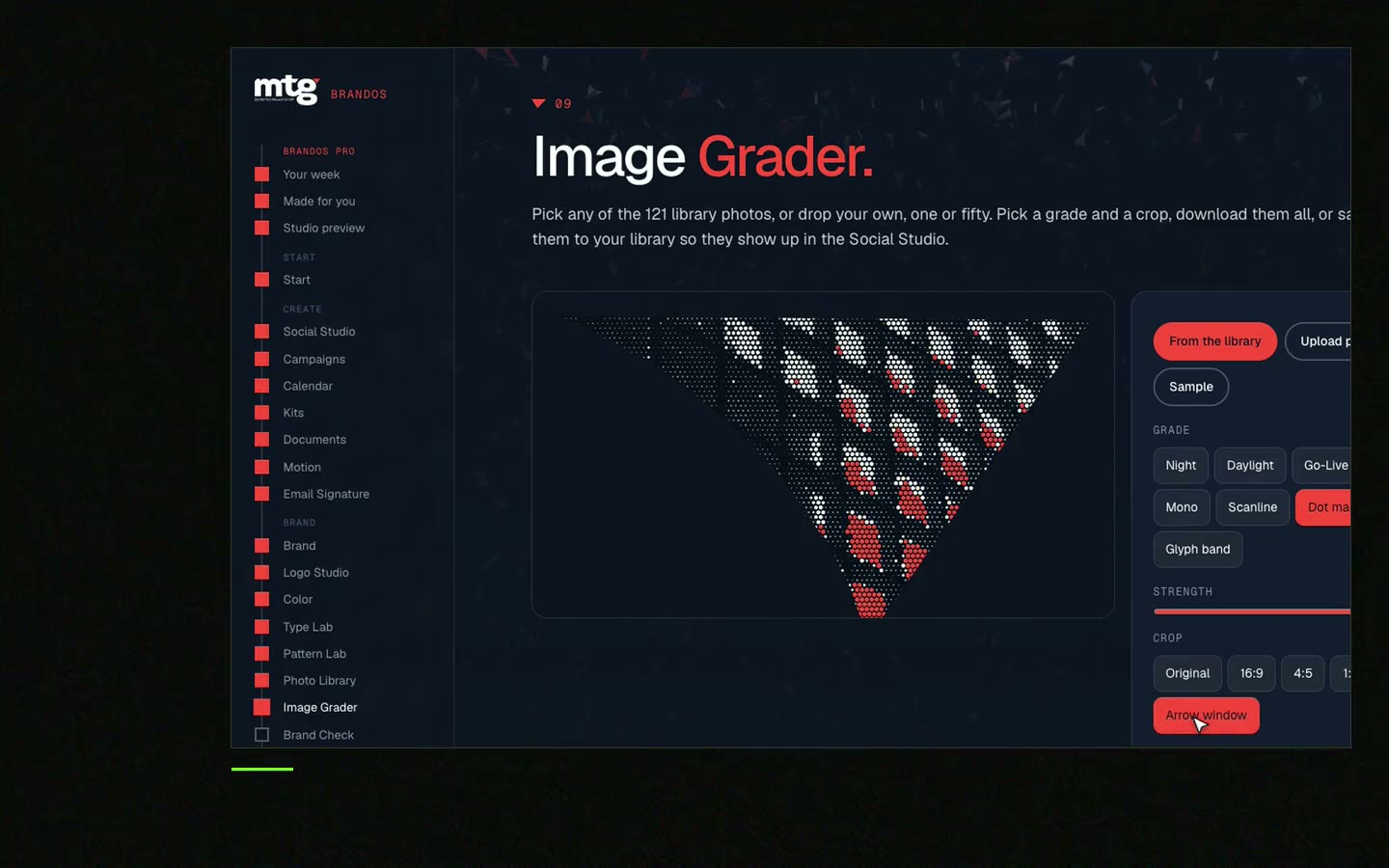
In a Brand OS Portal, the Image Grader grades an image against the brand, and Social Studio places it into a design with the logo, colours and fonts locked. So a non-designer gets a clear answer without asking anyone. A designer is still right for art direction and a new identity. The portal handles the daily work.

Brand OS Pro Portal. The team makes its own posts. No waiting.

Brand OS Core Portal. The CEO writes and designs an on-brand LinkedIn post in about 3 minutes.
Next: AI generated posts that stay on brand and free AI branding tools.
Try one Brand OS Portal tool
This is a real tool from a real Brand OS Portal, on the MTG brand. Change the photo and the words. The brand stays locked.
Watch
I made short videos of the tools. Hear me explain them, then scroll through every one at work. Real tools, on a real brand.

Name your colours, mood and light in the prompt, ask for no text, and grade each image before use.
The tool defaults to a smooth, common look unless you give it a clear style and a real setting.
It depends on the tool's terms. Read them and keep a note with each file.
It builds trust to be open, and some platforms ask for it. Check the rules of where you post.
Yes. The Image Grader in a Brand OS Portal grades images against your brand. See Brand OS Portal.
Death List Five. Five headaches, one portal. Sound on.
See what ChatGPT says about your company, and how to fix it.
You hear from me within 2 to 8 hours.
May I use cookies for Google Analytics and Clarity to see which pages help? Privacy



