
 Hrvatski
Step 1
Design one signature
Logo, name, role, phone, website. Keep it short. See email signature rules for companies.
One design, one sheet of names, one message and one day. Seven steps so every person sends the same signature.
Free: your brand in 3 real designs, in 48 hours.
To roll out email signatures to a team: design one signature, collect each person's details in one sheet, make a signature for each person, send clear steps and set a rollout date.
Do not ask people to build their own. Below are seven steps, a message to send, a data sheet and a checklist. The goal is no rep with a different font and no old logo in use.
 By Vedran Obradović · Updated 7 November 2026
Every email is a small ad.
A team sends hundreds of emails a week. Each one has a signature. If they all look different, customers see a company that is not sure who it is.
A good signature has the same logo, the same colours, the same order of lines. See the basics in company email signature. Here we focus on the rollout.
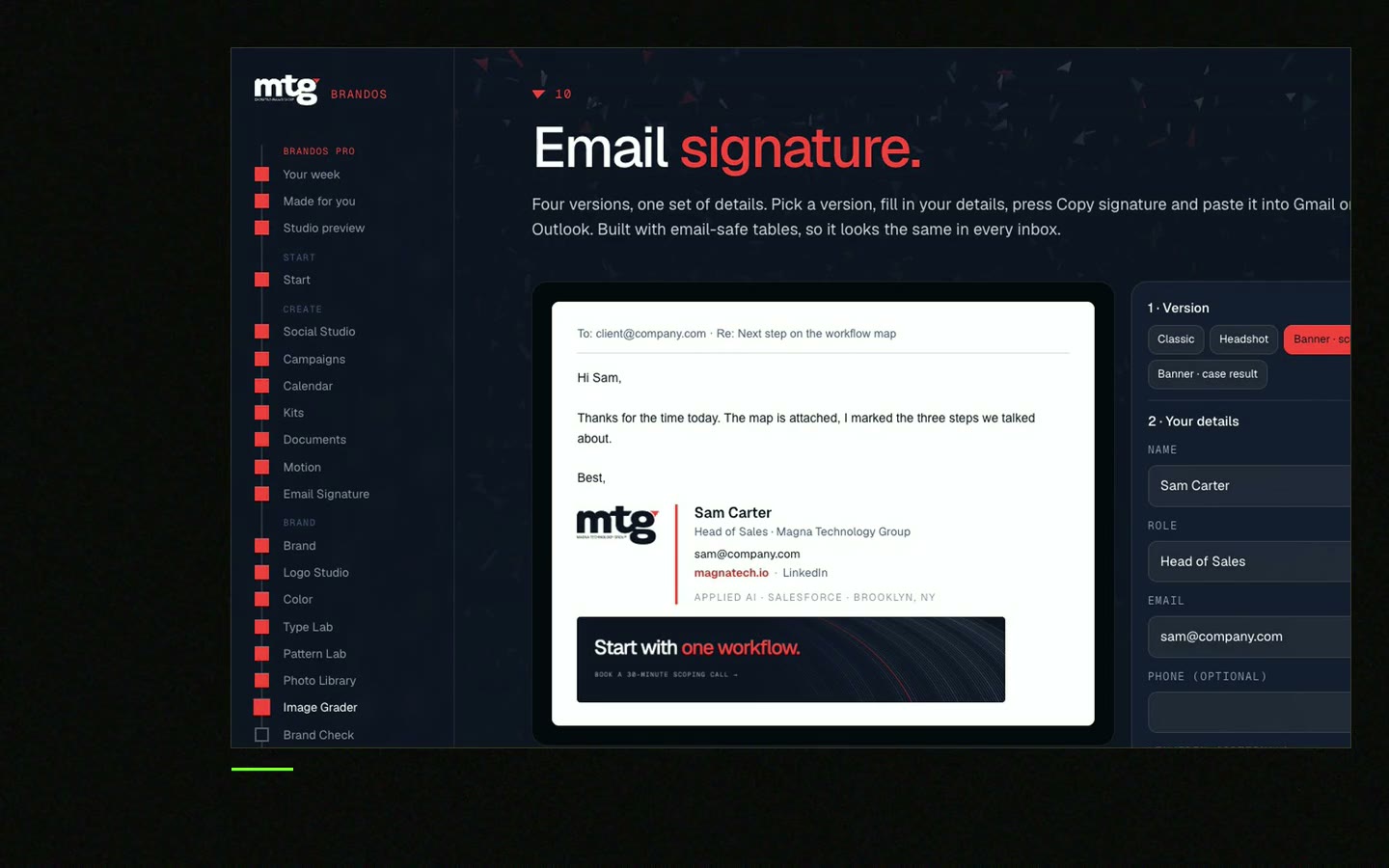
A small team can finish in a day.
Step 1
Logo, name, role, phone, website. Keep it short. See email signature rules for companies.
Step 2
One sheet: name, role, phone, email, LinkedIn. One person owns it.
Step 3
Use a generator or a tool. Do not ask people to build their own.
Step 4
Send to yourself on desktop and phone. Check links and the logo.
Step 5
Show people where to paste it in their mail app. Use screenshots.
Step 6
One rollout day. Everyone switches that day.
Step 7
Look at a few sent emails. Fix what is wrong.
Try the free team email signature generator for step 3.
Free tool
Type the details, see the signature, copy it. It is free and runs right here.
| Column | Example | Rule |
|---|---|---|
| Full name | Jane Smith | As on the website |
| Role | Head of Sales | Same style for all |
| Phone | +00 000 000 0000 | One format |
| [email protected] | Company address | |
| linkedin.com/in/... | Clean link | |
| Banner line | Optional | From an approved list |
Gmail allows up to 10,000 characters in a signature and lets you add images, which count toward that limit. Checked on 7 November 2026 on support.google.com. Keep yours small anyway.
Leave your email. I design them by hand and send them to you within 48 hours. It costs you nothing.
I write to you from [email protected]. If you do not see it, check spam.
Hi team,

from [date] we all use the same email signature.

Your signature is ready: [link to your signature].
How to add it:
1. Open your mail settings.
2. Find "Signature".
3. Delete the old one and paste the new one.
4. Send a test email to yourself.

Please do this by [date]. It takes two minutes.
Please do not change fonts, colours or the logo.
Questions: [name].

Thanks,
[Your name]
Doing the same with LinkedIn banners? See matching banners for the whole team.
This is where most rollouts fail.
New hires arrive. Someone changes role. The logo changes. A month later, half the team has the old one. A rollout is not done when the email goes out. It is done when there is a way to keep it right.
A brand portal keeps the signature builder next to the logo files, so a new hire makes theirs on day one. See brand onboarding for new hires. I built this for MTG and Deepsea Networks.
0 of 9 done
Try one Brand OS Portal tool
This is a real tool from a real Brand OS Portal, on the MTG brand. Change the words. The design and the rules stay right.
Watch
I made short videos of the tools. Hear me explain them, then scroll through every one at work. Real tools, on a real brand.

Design one signature, collect details in one sheet, make one for each person, send clear steps and set a rollout date.
No. They change fonts and links. Make it for them and let them paste it.
The design and sheet can take a day for a small team. Each person needs about two minutes.
Name, role, company, phone, website and a logo. Keep it short. See email signature rules for companies.
Give one person the sheet and make the builder part of onboarding.
Yes. The Signature Builder in a Brand OS Portal keeps the brand in every email, for every person.
Death List Five. Five headaches, one portal. Sound on.
See what ChatGPT says about your company, and how to fix it.
You hear from me within 2 to 8 hours.
May I use cookies for Google Analytics and Clarity to see which pages help? Privacy





