
 Hrvatski
Block 1
Logo and name
Logo on the left or top. Name and role next to it. Small and sharp.
A logo says who you are. A banner says what is new. Here is how to use both without a messy email.
Free: your brand in 3 real designs, in 48 hours.
Put your logo at the top or left of your signature, small and clear. Put a banner below the contact lines, one wide image with one message and one link.
Keep the whole signature light. Host images properly, add alt text and test on phone and desktop. Below are sizes, a layout, rules and a checklist.
 By Vedran Obradović · Updated 7 November 2026
Three blocks, top to bottom.
Block 1
Logo on the left or top. Name and role next to it. Small and sharp.
Block 2
Phone, website and one more link. Plain text, easy to tap on a phone.
Block 3
One wide image, one message and one link. Swap it for launches.
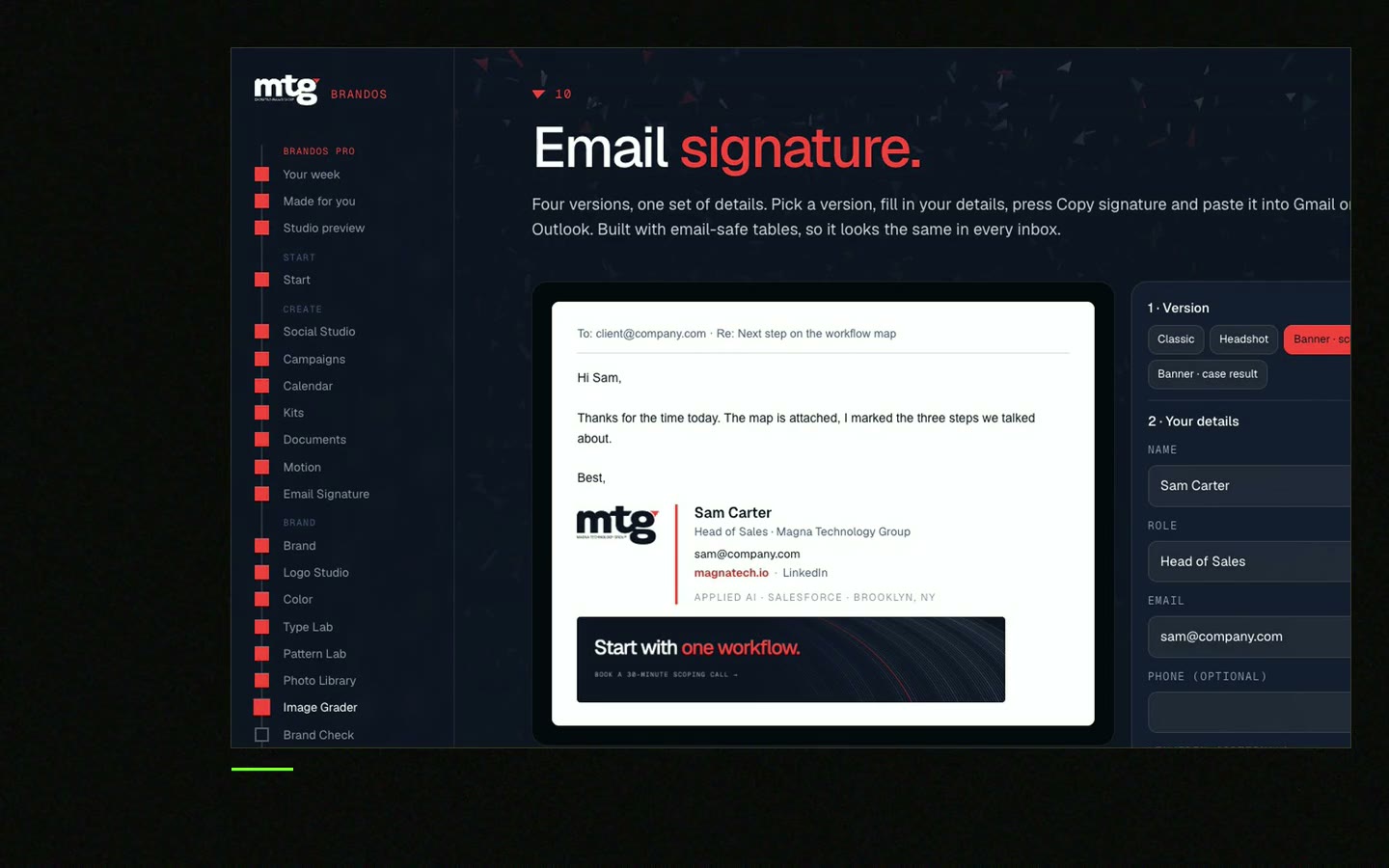
Free tool
Type the details, see the signature, copy it. It is free and runs right here.
A signature banner is small and quick.
Launch: [Product] is live - see it at [link]
Event: Meet us at [event], [city], [date]
Content: New guide: [title]
Hiring: We are hiring a [role]
Call: Talk to me for 15 minutes - [link]
Leave your email. I design them by hand and send them to you within 48 hours. It costs you nothing.
I write to you from [email protected]. If you do not see it, check spam.
A heavy signature slows mail and gets blocked.
Gmail allows up to 10,000 characters in a signature and lets you add images, which count toward the limit. Checked on 7 November 2026 on support.google.com. A small logo and one banner fit easily. Five social icons and a long legal text do not.
Many readers see your signature on a phone. Test there. If the banner is cut or the links are too close to tap, simplify. Rules for the text are in email signature rules for companies.
One person can do it by hand. Twenty cannot.
Read how to roll out email signatures to a team. A brand portal keeps the builder, the logo and the banner maker in one place, so every person makes a signature that matches the rest.
At Deepsea Networks the CEO writes and designs an on-brand LinkedIn post in about 3 minutes. The same idea applies to signatures: the team does it, no designer queue.
0 of 9 done
Try one Brand OS Portal tool
This is a real tool from a real Brand OS Portal, on the MTG brand. Change the words. The design and the rules stay right.
Watch
I made short videos of the tools. Hear me explain them, then scroll through every one at work. Real tools, on a real brand.

Add a small logo next to your name and one wide banner below your contact lines. Keep both light and add a link.
Small. Make the file at about twice the size you show it, so it stays sharp. The Signature Builder handles this.
It helps for launches, events and hiring. Use one message and swap it often.
No. Many mail apps hide images by default. Add alt text and keep key links as text.
Up to 10,000 characters, and images count toward that. Checked on 7 November 2026 on support.google.com.
Use a builder with your brand inside. See Brand OS Portal.
Death List Five. Five headaches, one portal. Sound on.
See what ChatGPT says about your company, and how to fix it.
You hear from me within 2 to 8 hours.
May I use cookies for Google Analytics and Clarity to see which pages help? Privacy





