
 Hrvatski
Level 1
Click
Click a colour, a font name or a logo. It is copied or downloaded. No hunting through a folder.
Guidelines people can click, copy, test and use to make things, not just read once.
Interactive brand guidelines are brand rules that live on a web page and react when you use them. You click a colour and the code is copied. You pick a background and you get the right logo. You type a line and see it in your brand.
They beat a PDF because people use them while they work. A PDF is read once. Interactive guidelines are opened every day, so the brand stays right without a designer checking every post.
 By Vedran Obradović · Updated 4 November 2026
Static guidelines tell you the rule. Interactive guidelines help you follow it, right now.
Level 1
Click a colour, a font name or a logo. It is copied or downloaded. No hunting through a folder.
Level 2
Type your own words in the brand fonts. Check if two colours work together. See a rule on a real example.
Level 3
Change the words on a post, a banner or a signature. The design stays right. You download a finished file.
Most "interactive" guidelines stop at level 1. The real value is level 3. That is the idea behind a Brand OS: rules, files and makers in one place.
Start with the ones your team will use every week.
Free tool
Answer a few short questions. You get your brand score and the first thing to fix. It is free and runs right here.
Same rules, very different day for the team.
| Job | PDF guidelines | Interactive guidelines |
|---|---|---|
| Get the colour code | Read it, type it, hope | One click, copied |
| Get the right logo | Ask someone | Pick the background, download |
| Check a headline | Not possible | Type it in the brand font |
| Make a post | Ask a designer | Change the words, download |
| Get the latest rules | Which PDF is newest? | One live link |
A PDF is still a good record of the brand. For the full comparison, read PDF brand guidelines vs Brand OS Portal and brand guidelines vs Brand OS.
Leave your email. I design them by hand and send them to you within 48 hours. It costs you nothing.
I write to you from [email protected]. If you do not see it, check spam.
These are real screens from real Brand OS Portals.

Brand OS Pro Portal. The team makes its own posts. No waiting.

Brand OS Core Portal. The CEO writes and designs an on-brand LinkedIn post in about 3 minutes.
MTG has 104-page guidelines. Inside the portal, nobody reads 104 pages to make a post. They open the maker. More in brand guidelines examples.
Step 1
One page per topic: logo, colour, type, voice. Short rules, real examples.
Step 2
Every code and every logo file, one click away. See which logo files you need.
Step 3
Two pictures per rule. Right next to wrong. People get it in a second.
Step 4
Pick what your team makes most, often a social post. Let them change the words only.
Step 5
Voice, approved facts and banned words, written so AI tools follow them. See AI-ready brand guidelines.
Tick what is true today. Your ticks stay on this device.
0 of 9 done
Fewer than five ticks? You have a PDF on a web page. Start with the brand portal checklist or book a 15-minute call.
Try one Brand OS Portal tool
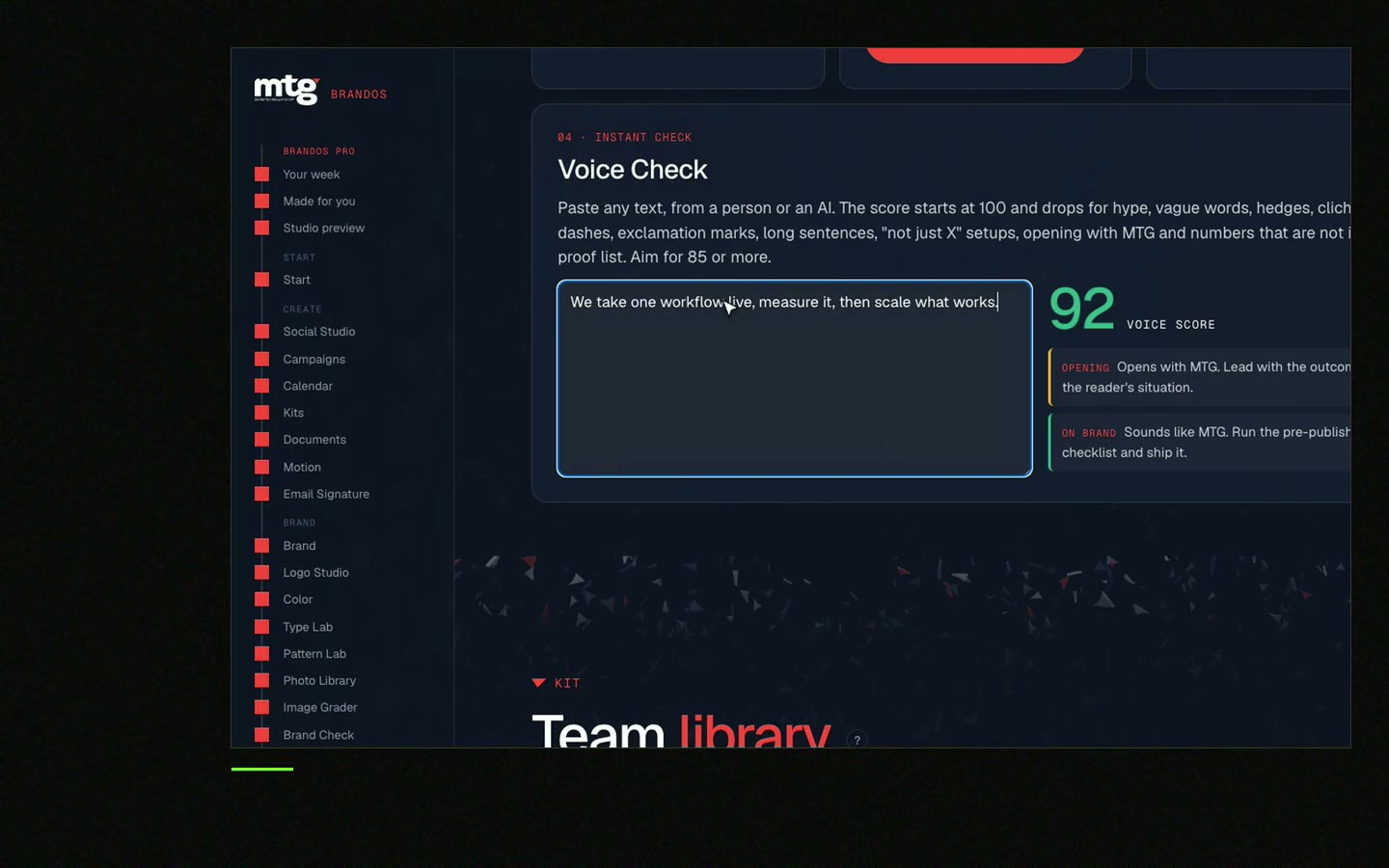
This is a real tool from a real Brand OS Portal, on the MTG brand. Type your words. The motion, fonts and colours stay on brand.
Brand rules on a web page that react when you use them. You can copy codes, download the right logo, test words in the brand fonts and make on-brand posts.
For daily work, yes. People use them while they work. A PDF is still useful as a record or for print. Read PDF vs Brand OS Portal.
The same content as any guidelines: logo, colour, type, voice, images. Plus copy buttons, a logo picker, do and do not examples and at least one maker. See what to include.
Yes. Split the PDF into one web page per topic, add copy and download buttons, then add makers for the things your team makes most.
They can. If the voice rules and approved facts are written clearly, ChatGPT and Claude can follow them. See ChatGPT brand guidelines.
See what ChatGPT says about your company, and how to fix it.
You hear from me within 2 to 8 hours.
May I use cookies for Google Analytics and Clarity to see which pages help? Privacy



