
 Hrvatski
Step 1
Pick one idea
One direction, chosen for your market, not for how pretty the picture is.
ChatGPT is good for logo ideas, quick sketches and feedback. It is weak at the final logo: the files are pictures, not clean vectors, and they can look like other logos.
Read next: The best free AI branding tools: an honest list · AI logo generators: what they get right and wrong · Midjourney and image AI prompts that stay on brand
Use the 15 prompts below to think faster. Then have a designer draw the one idea that works, by hand, as a real vector file.
 By Vedran Obradović · Updated 4 November 2026
| Good at | Bad at | |
|---|---|---|
| Ideas | Many directions in minutes | Knowing which one fits your market |
| Pictures | Quick mood sketches | Clean vector files you can use |
| Letters | Font ideas | Custom letters with good spacing |
| Originality | Mixing known styles | Being sure it looks like nobody else |
| Feedback | Fast notes on clarity | Testing at 16 px and on real products |
So use it at the start and as a second pair of eyes. Not as the final step.
Start with words. Pictures come later.
1. I run [company], we sell [product] to [who]. List 10 ideas for a logo symbol. For each, say what it means and why it fits. No pictures yet.

2. Here is our one-line promise: [promise]. Give me 5 logo directions, each in one sentence: the shape, the feeling and one risk.

3. Our three biggest competitors are [names]. Describe how their logos look. Then suggest 3 directions that would look clearly different.

4. Give me 8 wordmark ideas for the name [name]: letter changes, spacing, cuts or joins that could make it ours. Explain each in one line.

5. Which of these 5 directions would still read well at 16 px, in one colour, on a dark background? Rank them and say why: [paste directions].
Ask for rough pictures to judge a direction. Not for the final file.
6. Draw a rough black and white sketch of a logo symbol for [company]: [direction]. Flat, simple shapes, no text, white background.

7. Show 4 variations of this symbol idea side by side: [direction]. Keep them simple enough to draw with a pen.

8. Put this symbol idea on a dark app icon, a business card and a browser tab, as a rough mockup: [direction].

9. Sketch the word [name] in 3 simple lettering styles: geometric, rounded and sharp. Black on white, no effects.

10. Make this sketch simpler. Remove every detail that would vanish at small size: [upload sketch].
Treat every AI picture as a sketch. Before any name or symbol goes public, check trademarks in your markets and ask a designer to draw it from scratch.
Free tool
A logo cannot fix an unclear brand. Answer a few short questions and get your score and the first thing to fix.
11. Here is our logo [upload]. List 5 problems a designer would see: spacing, balance, small size, colour, originality.

12. Does this logo look like a well-known brand? Name any that come close and say what is similar [upload].

13. Write the logo usage rules for this logo in 6 short lines: clear space, smallest size, versions, colours, backgrounds, don'ts [upload].

14. Explain this logo to a new hire in 3 sentences: what it shows, why, and how to use it [upload + our story].

15. Compare these two logo options for [who we sell to]. Which is clearer, more ownable and easier to use? Be blunt [upload both].
Leave your email. I design them by hand and send them to you within 48 hours. It costs you nothing.
I write to you from [email protected]. If you do not see it, check spam.
Four steps that turn a good idea into a logo you can own and use.
Step 1
One direction, chosen for your market, not for how pretty the picture is.
Step 2
A designer draws it as a clean vector, with real spacing and balance.
Step 3
At 16 px, in one colour, on dark and light, on a real product.
Step 4
Versions, colours, type and rules, so the logo works everywhere.
More in how to make a logo for your business and wordmark logo design.
Try one Brand OS Portal tool
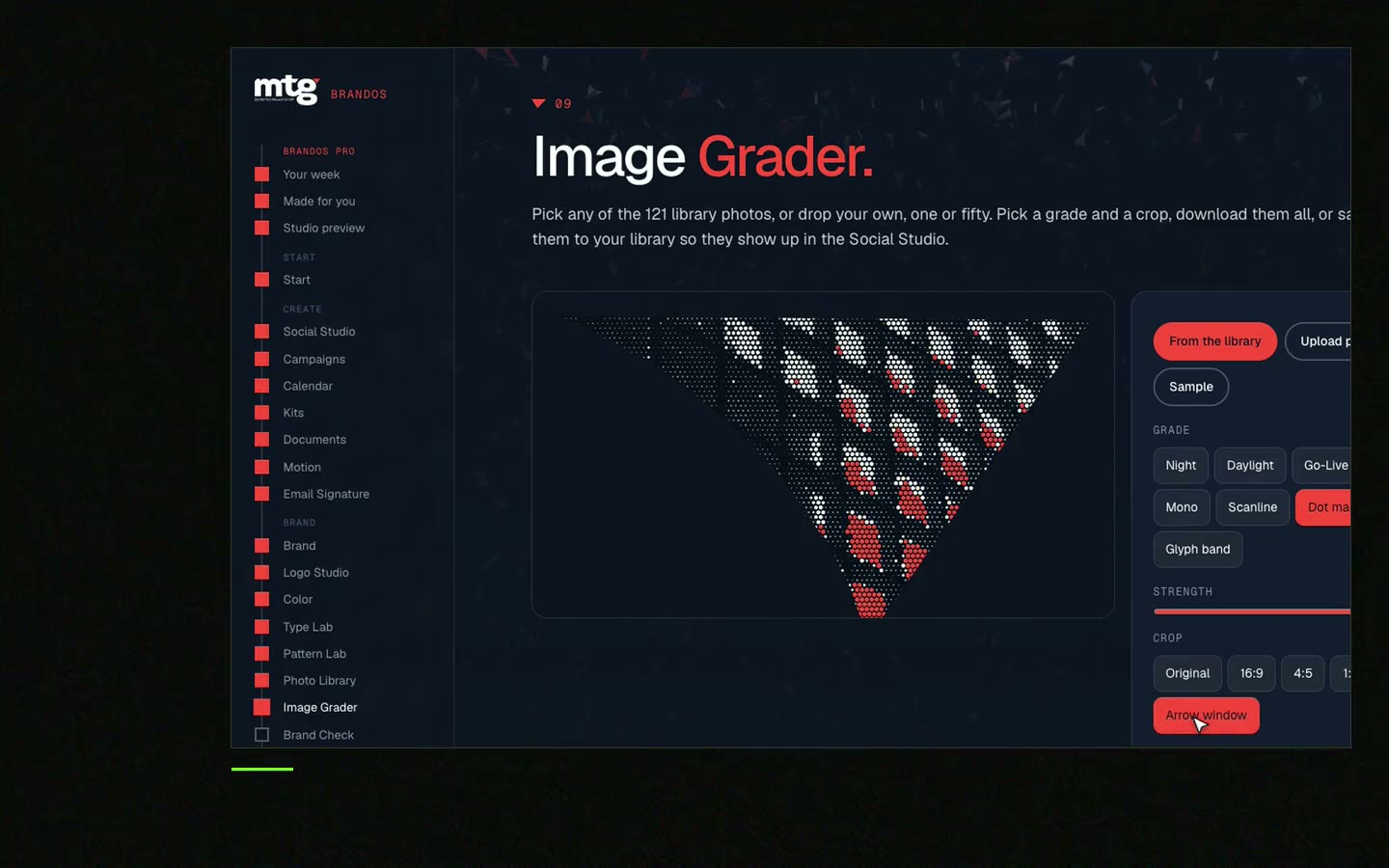
This is a real tool from a real Brand OS Portal, on the MTG brand. Patterns grow from the logo, so they belong to one brand only.
It can make logo pictures and ideas. The result is a raster image, not a clean vector file, and it may look like other logos. Use it for ideas and sketches.
You can, but check trademarks first and have it redrawn as a vector. AI pictures are hard to protect and hard to use at small sizes.
One that gives context: who you are, who you sell to, what you promise and what competitors look like. Start with ideas in words, then ask for sketches.
Both make pictures, not finished logos. Pick the one you like for sketches. The hand-drawn vector step is the same either way.
With me, a logo and its system take about 7-14 days. See logo design.
"He is a brand magician; he understood the challenge quickly and delivered a brand identity, complete with motion graphics, messaging, etc."
 Leah MarsdenCMO, MTG
"It was never really about creating one logo. It was about building something strong enough to grow with the company."
 Pierre-Marc NoëlFounder & CEO, Deepsea Networks
"The brand looks premium and actually fits an AI / tech company, and the guidelines are so clear our team just uses them without asking questions."
 Jeremy MurrayFounder, KORDIN and Stack8s

Get your brand score and the first thing to fix.
You hear from me within 2 to 8 hours.
May I use cookies for Google Analytics and Clarity to see which pages help? Privacy



